swan tron dot com

Self-Hosting a Bluesky PDS

I’ve been sitting on a Bluesky Personal Data Server (PDS) for a few months now. Why? Great question.. I guess because a few of my privacy-nerd friends were asking if anyone had tried to set one up. I like setting stuff up so I did, and am finally getting around to documenting the thing. I put together a guide for others who want to do something similar: bluesky-pds-guide.

Why the AT Protocol?

The AT Protocol (Authenticated Transfer Protocol) was created by the Bluesky team. When you use Twitter or Facebook, your data lives on their servers. You’re locked in. A platform changes policies, gets acquired, shuts down—you lose everything.

The AT Protocol flips this. Instead of one company owning everyone’s data, you can run your own Personal Data Server (PDS). Your posts, follows, and media live on your server. You can move between PDS providers, or run your own, without losing your identity.

It’s basically how email works. You can have Gmail or run your own mail server, but you can still email anyone. The AT Protocol brings that same interoperability to social media. It’s the antidote to the ‘walled garden’ junk we’ve been dealing with for a decade. Bluesky started sidling away from their open stance a bit, my friends got nervous, so here we are.

My Setup: jswan.dev on Digital Ocean

I set up a PDS at jswan.dev. Running:

ComponentChoice
HostDigital Ocean ($6/mo)
Domainjswan.dev
EngineDocker + Caddy
StorageSQLite + Local Disk

Setup was straightforward. The official Bluesky installer handles most of it—sets up Docker, configures Caddy for TLS certificates, gets everything running. Main work was configuring DNS records (A record for root domain, wildcard for subdomains) and running through installer prompts.
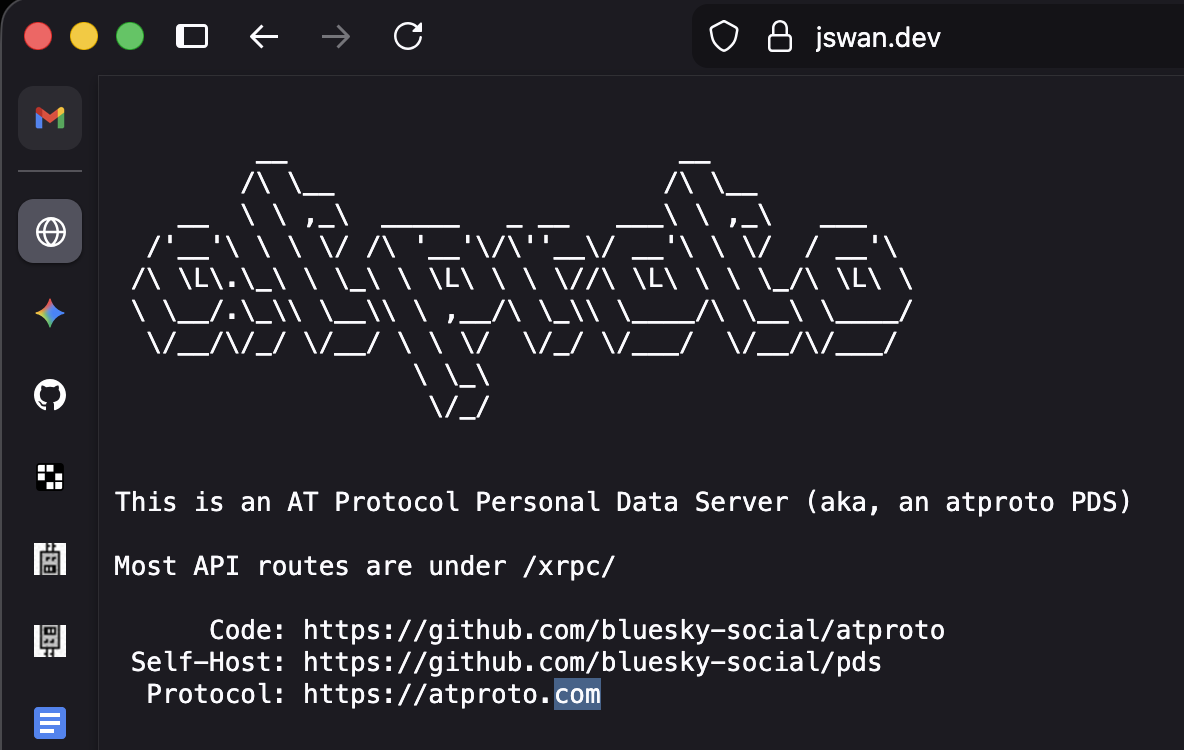
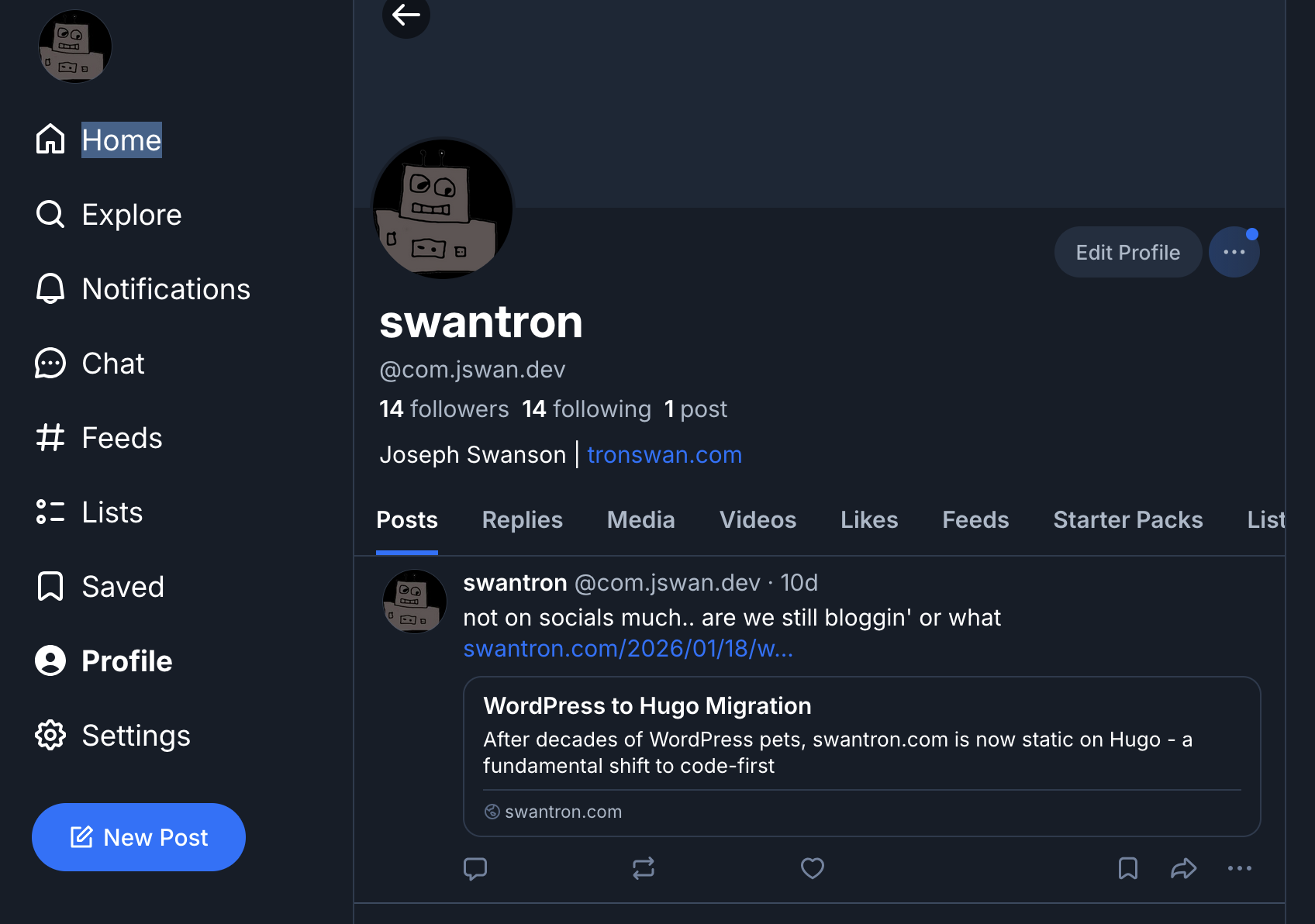
Once it was up, I created an account: @com.jswan.dev. Handle format is username.yourdomain.com.
The Guide

After going through the setup, I realized there wasn’t a decent guide that walked through everything start to finish. So I made one.

It covers:

  • Prerequisites (domain, VPS, email service)
  • Setting up a Digital Ocean droplet
  • DNS configuration for multiple providers (Squarespace, Namecheap, Cloudflare, GoDaddy)
  • Step-by-step installation
  • Email/SMTP setup
  • Maintenance and updates
  • Troubleshooting common issues

Written for people who are technical but maybe haven’t self-hosted much.

The Reality: I Don’t Really Use It

I have a Bluesky account at @com.jswan.dev, and I’ve set up this whole infrastructure, but I’m not really posting on social media. Not my thing.

But that’s fine. The point wasn’t necessarily to become an active Bluesky user. The point was learning how federated protocols work, understanding how to set up and maintain a service, and having the infrastructure if I want it. If friends want accounts, I can give them invites. The data lives on my server, even if that data is currently just me posting a sweet link to a swantron blog post once every three months.

Creating the guide was valuable—forced me to think through the process clearly and make it reproducible. Hopefully it saves somebody debug time.

The Cost

Running your own PDS:

  • Domain: $10-15/year (if you don’t already have one)
  • VPS: $6-12/month (DO is my go-to but there are a lot of options)
  • Email: Free tier available (Resend, SendGrid) but I still use GSuite

Total: around $100/year.

If you’re interested in setting up your own PDS, check out the guide: github.com/swantron/bluesky-pds-guide.

Self-host your identity. It’s cheap and probably a good thing to do.
WordPress to Hugo Migration

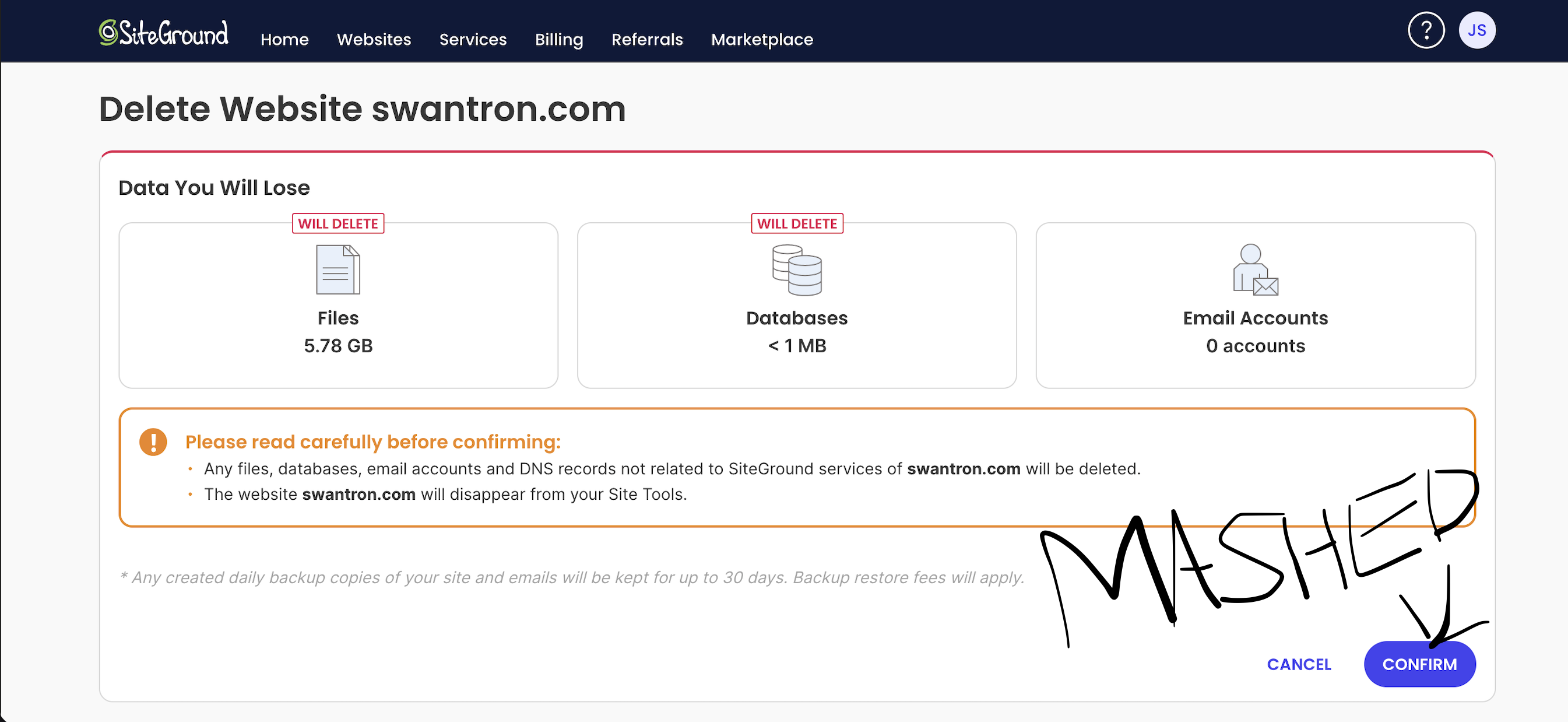
This is the first time in decades I haven’t had a WordPress instance live. Lordamercy… Deleting WordPress site - final step

WP Trucker Logs: From Shared Hosting to Code-First

Over two decades, swantron.com hopped through several hosting trends:

  • Phase 1: Classic – Traditional shared hosting (Siteground)
  • Phase 2: Cloud Ops – VMs & DBs (EC2 & RDS / GAE & not RDS)
  • Phase 3: IaC-adjacent – Dockerized one-click pets (GCP, but mostly DigitalOcean)
  • Phase 4: The End State – Static delivery via Hugo + GitHub Actions

Each previous phase was just a different way of babysitting a server. This migration is different. It’s not just a new host; it’s a fundamental change in philosophy from ‘managed system’ to code-first delivery.

The Database Horror (The Lordamercy)

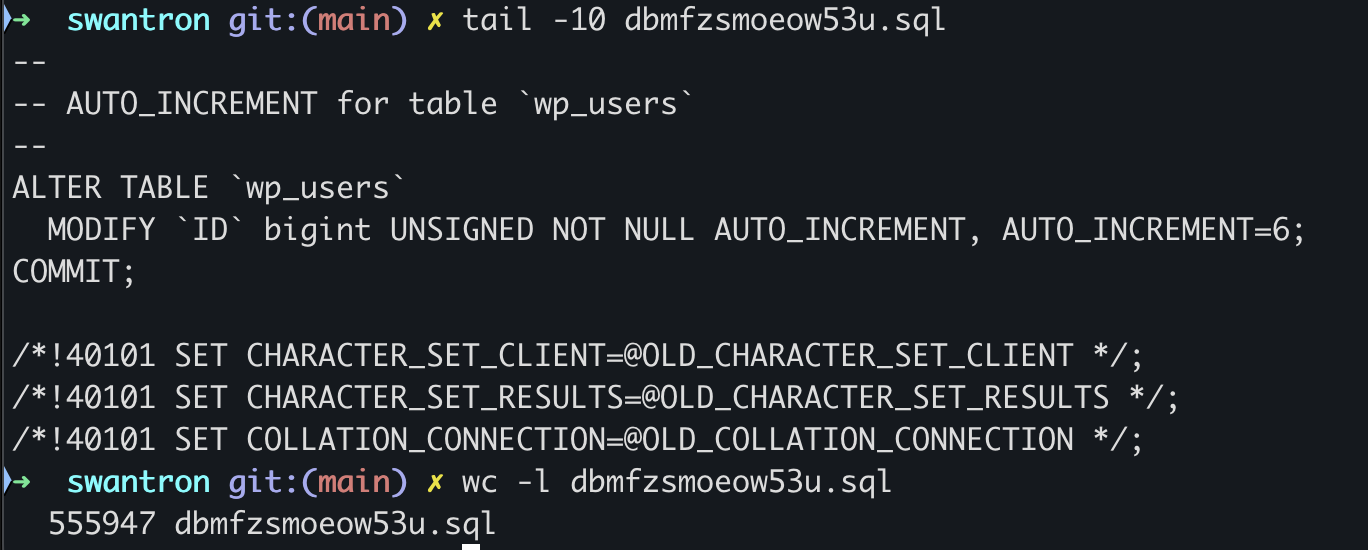
I had a shower thought about how gross a WordPress database might end up after being left out in the rain for 20 years (2005-2025). I finally checked. My final database dump: 34MB and 555,947 lines of text.

SQL file size - 555,947 lines

  • 122,307 references to bouncerblog.com—a domain that died over a decade ago.
  • Serialized PHP arrays stored as strings. Want to change a simple rewrite rule? Nope. Good luck parsing a 2,000-character string in wp_options.
  • Zombie Data: Thousands of _transient entries and orphaned plugin settings that WordPress autoloads on every single page request, long after the plugins are deleted.

The database had become a dumpster fire. Transitioning to Markdown files is nice. No more regex-searching a SQL dump just to find a setting.

The Migration (The 1,040 Post-Slugs)

Moving 1,040 posts is a special kind of hell. The goal was to strip away the ugly legacy /index.php/ prefix from my URLs without breaking 20 years of external links and search indexing.

I wrote some dirty Python to automate the alias field in Hugo’s spec to map the shitty legacy paths to the new clean ones.

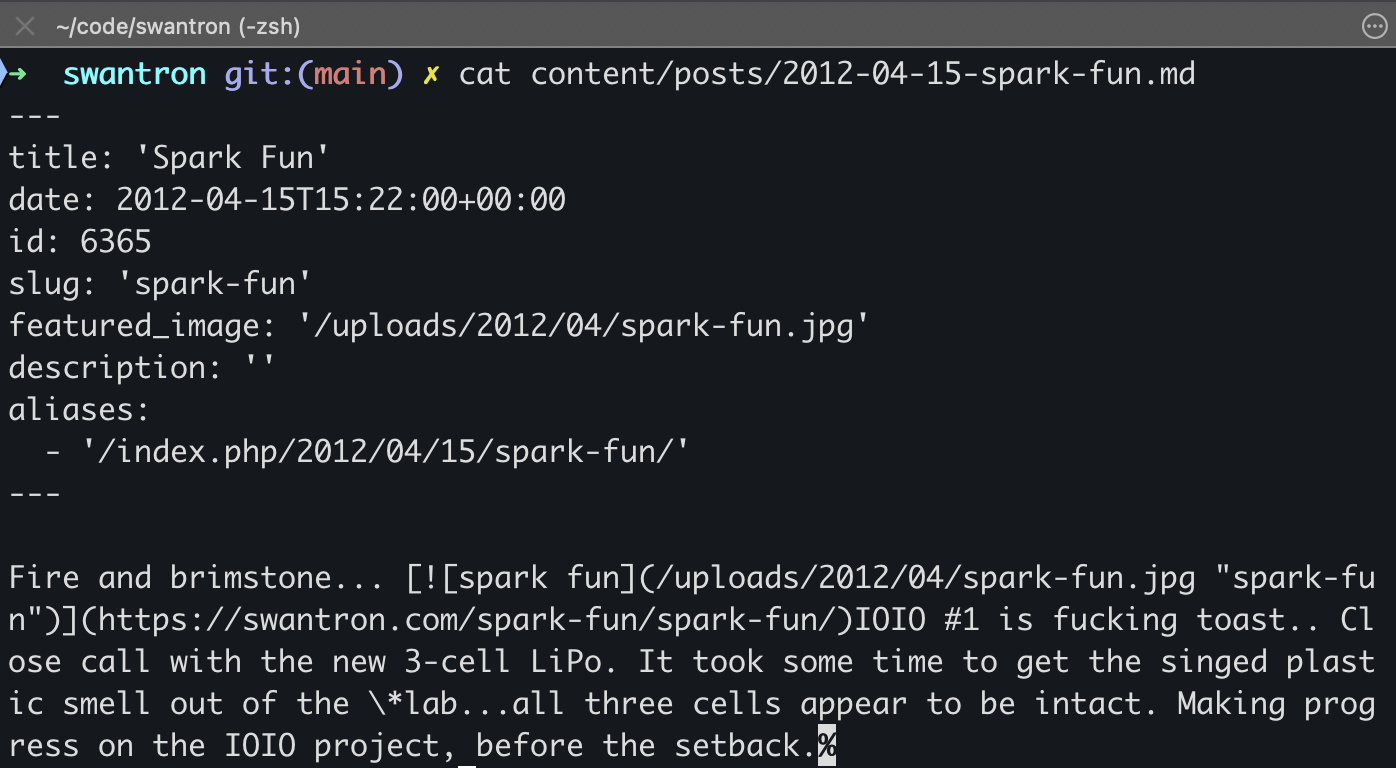
The result in each Markdown file:

title: "This Old Post about Hot Sauce"
slug: "this-old-post-about-hot-sauce"
aliases:
  - /index.php/2005/10/10/this-old-post-about-hot-sauce/

Alias example in frontmatter

Super straightforward. Hugo generates redirect HTML pages at the old paths during the build. This preserves every bookmark (yeah right), share, and search result while allowing the site to live at a modern URL.

Result: 1,041/1,041 posts migrated with 100% link integrity.

The New Stack

Hugo 0.154.5 for static generation, GitHub Pages + Actions for hosting and CI/CD. No themes—just custom CSS and layout code that I control entirely. No comments, because I’m not collecting feedback from blog commentators.

The Tipping Point

FeatureWordPressHugo
Speed2s - 4s Load< 500ms
SecurityConstant PatchesZero Attack Surface
CostMonthly Fees$0 (GitHub Pages)
URL Structure/index.php/slugSane
ContentMySQLMarkdown / Git

Why This Matters

I write Markdown, I git push, and it’s live.

It feels like the OG blogging days again. We had CMS shit back then, but blogging was largely just writing and publishing. Simple and direct. SEO made things weird for a bit (paid posts… did that) and we tried to mash PHP junk onto all sorts of places for no particular reason. The CMS never really got better, and blogs sort of died under their own weight.

In a way, I’m jumping back in with the terminal Gs who never bothered down this path in the first place. They’ve been over there in their minimal setups, posting random shit about obsolete tech this entire time, while the rest of us were fighting database corruption.

Cowbot - The migration buckaroo

Here’s to another decade, though… this time it is static, versioned, and finally cattle, not pets.

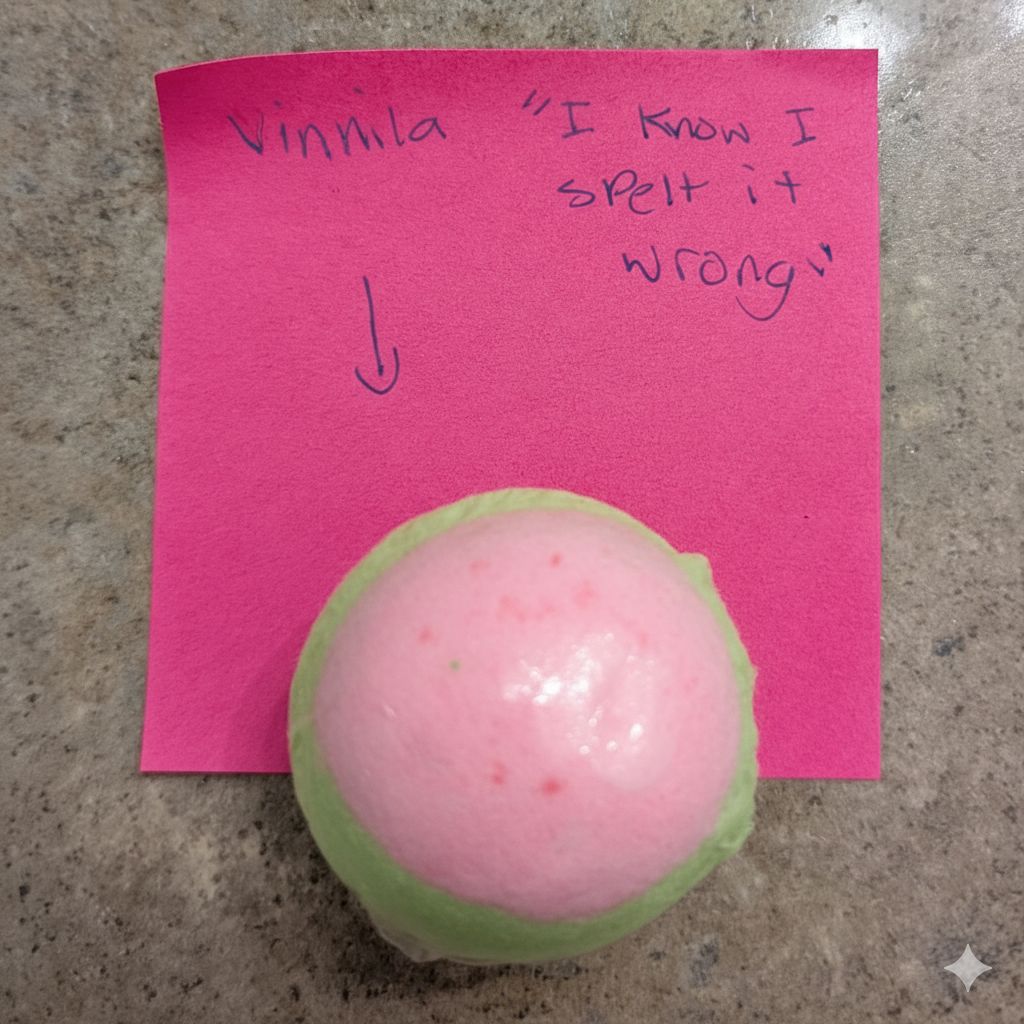
vinnila

12 year old provided bath bomb to 14 year old

(12 year old is in the ET program and was the 6th grade spelling bee runner up)

Chomptron: AI Recipe Generator

Do you hate cooking blogs? Sure, we all do..

Inane story, some ads, ingredient somewhere, more adds, quatities somewhere else, another ad. Like and subscribe..

It is embarrassing to say that I bought the domain name with that sort of thing in mind. I have some of our go-tos in texts from Katie and others that I have emailed to myself (from texts from Katie). I parked some stuff on WordPress and promptly remembered that I hate WordPress about as much as I hate cooking blogs. We know what we have and what we like—it wasn’t a very practical idea. No reason to host that sort of thing.

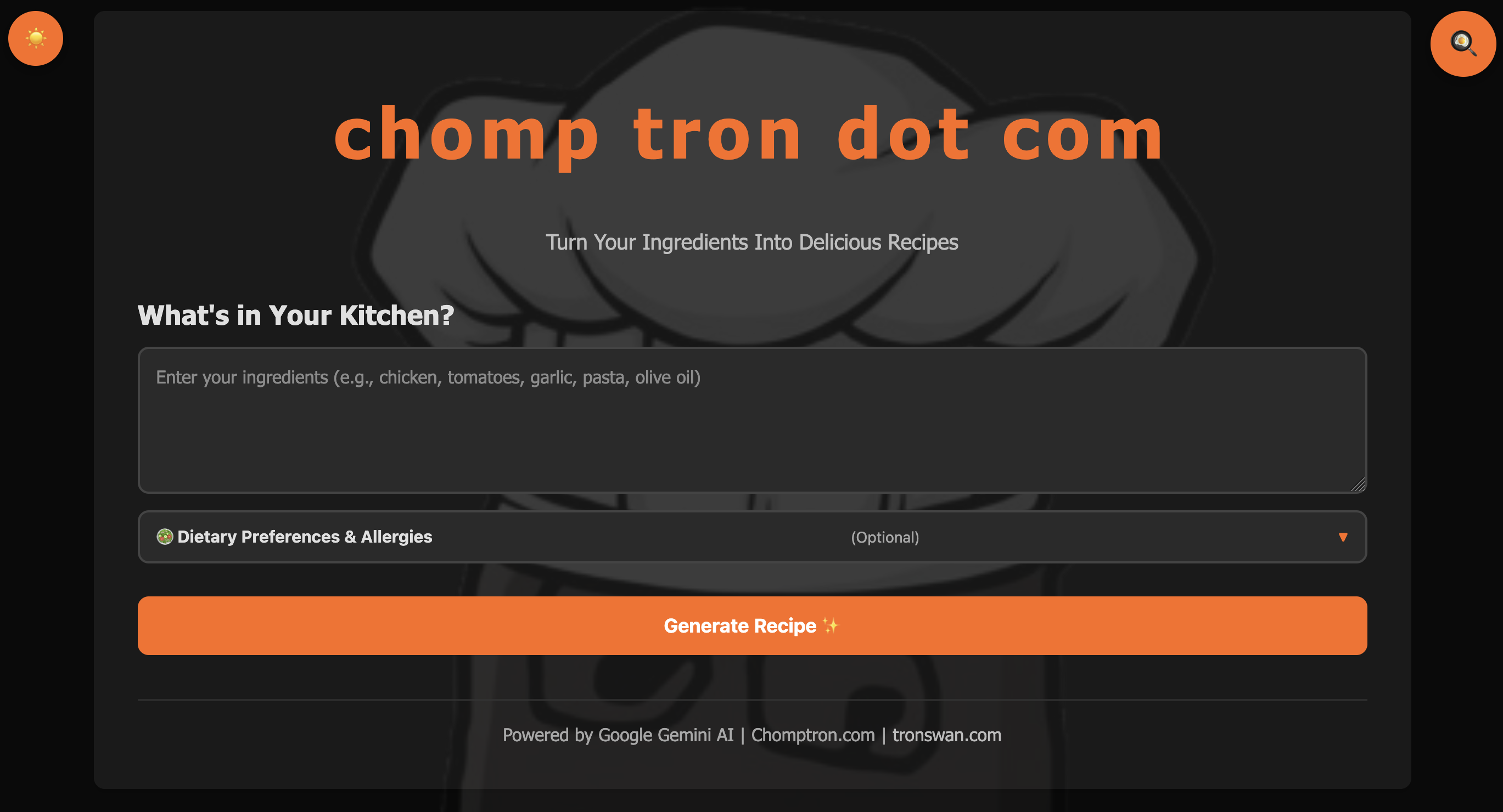
So instead, I sort of built an anti-food-blog: Chomptron. It’s an AI-powered engine that turns whatever’s in your fridge into actual recipes. No fluff, no life stories, just dinner.

Chomptron in action

The Problem

You’ve got chicken, some tomatoes, garlic, and half an onion. Or maybe just sriracha and some leftovers. You don’t want to read an article; you just want to know how to combine those things into something edible without making a grocery run.

The Solution

Type the ingredients, hit generate, and get a recipe with scaled measurements and instructions. It uses Google Gemini under the hood to handle the logic. Bam..

Features that actually matter:

  • Scaling that works – Most sites make you do the math. Chomptron scales from 0.25x to 4x automatically
  • Privacy by default – It saves up to 100 recipes in your browser’s localStorage. I don’t want your email, I don’t want your data, and I don’t want to manage a user database
  • Dietary logic – Filters for everything from Vegan to Shellfish-free
  • Dark mode – Wreck your eyes!

The Stack

I wanted this to be fast and ’tidy.’ No framework bloat, no heavy lifting on the client side:

  • Backend: Node.js 20 + Express
  • AI: Google Gemini (gemini-2.5-flash-lite)
  • Frontend: Vanilla HTML/CSS/JavaScript
  • Platform: Google Cloud Run (Serverless)

Why Serverless?

Chomptron runs on Google Cloud Run, which fits the old ‘cattle, not pets’ thing nicely:

  • Scales to zero: If nobody is using the site, I pay $0. It costs me effectively nothing to keep this live.
  • Auto-scales: If it suddenly gets traffic, GCP spins up containers to handle it.
  • Zero maintenance: No OS to patch, no server to reboot.

I built in some smart caching (24-hour TTL) and rate-limiting to keep the Gemini API costs under control, but otherwise, it’s a hands-off deployment.

CI/CD Workflow

The deployment cycle is refreshing. Push to main triggers a Cloud Build which handles the Dockerization and pushes to Cloud Run. It’s a gang of tests and a few seconds of waiting before it’s live.

It’s got the regular dev junk:

  • Health checks (/health, /ready)
  • Proper SEO/Open Graph tags
  • PWA support so you can pin it to your home screen

Check it out

Live: https://chomptron.com

Source: https://github.com/swantron/chomptron

It’s free to use and nearly free to run (plz don’t spam it). It was a fun excuse to get back into GCP and keep a JS project clean. No bloat, no stories—just the recipes. Chef kiss..

Secure Base Images for Docker

Do you hate insecure base images? Sure, we all do..

I built a thing: secure-base-images. It’s a minimal, security-hardened Docker base image for static Go binaries.

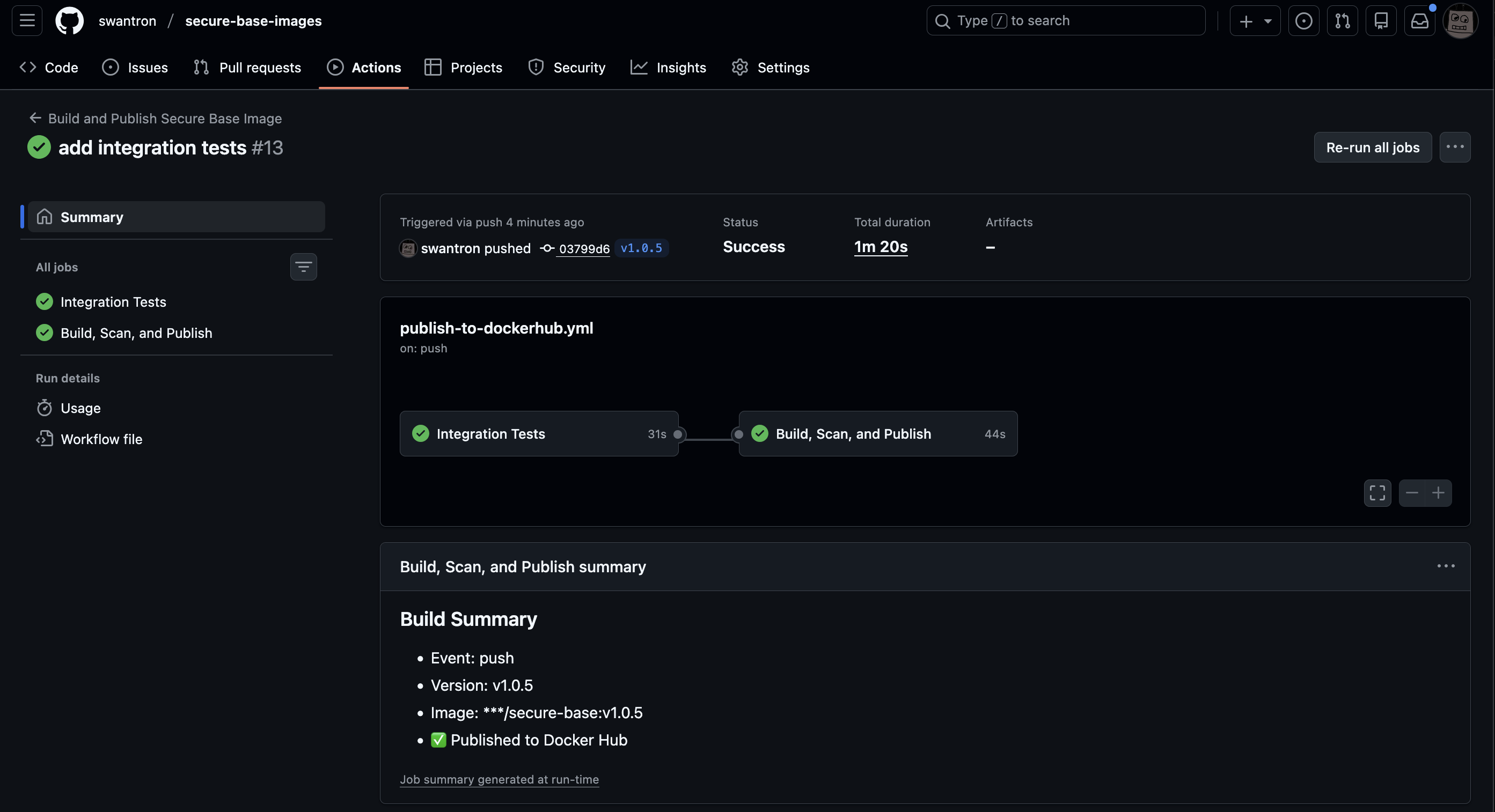
CI workflow running tests and build

Issue

Most Docker images are bloated. They include shells, package managers, and a ton of dependencies you don’t need. This creates a huge attack surface that your security team loves to talk about, and drives fast pipeline guys like me insane. For static Go tools, you literally just need the binary and some certs.

Solution

A distroless base image that gives you:

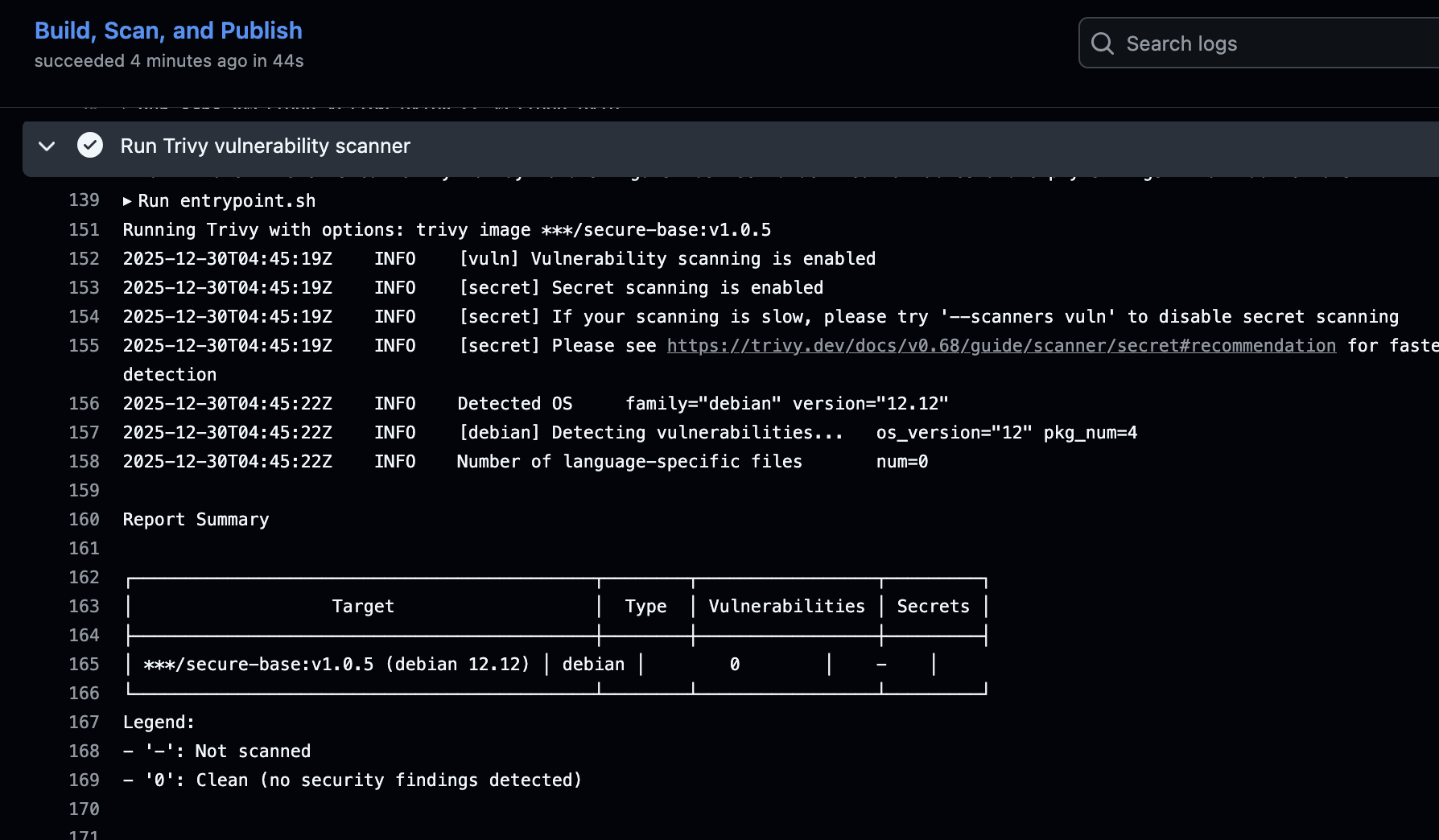
  • Zero vulnerabilities - Automated Trivy security scanning catches CRITICAL/HIGH issues
  • Minimal attack surface - No shell, no package manager, just your binary
  • Non-root execution - Runs as uid 65532 by default
  • Fast builds - Multi-platform support (amd64/arm64) via GitHub Actions
  • Dead simple - 3 lines in ya Dockerfile

Usage

FROM swantron/secure-base:latest
COPY myapp /app
ENTRYPOINT ["/app"]

That’s it. Push a tag, GitHub Actions builds it, scans it with Trivy, and publishes to Docker Hub if it’s clean (it is.)

Clean Trivy scan - zero vulnerabilities

Under the Hood

The GitHub Actions workflow is doing the heavy lifting:

  1. Runs integration tests (non-root user, no shell, CA certs present, etc.)
  2. Builds the image
  3. Scans with Trivy - build fails if vulnerabilities found
  4. Multi-platform build (amd64/arm64)
  5. Pushes to Docker Hub on release tags

It’s opinionated but in a good way. Security by default.

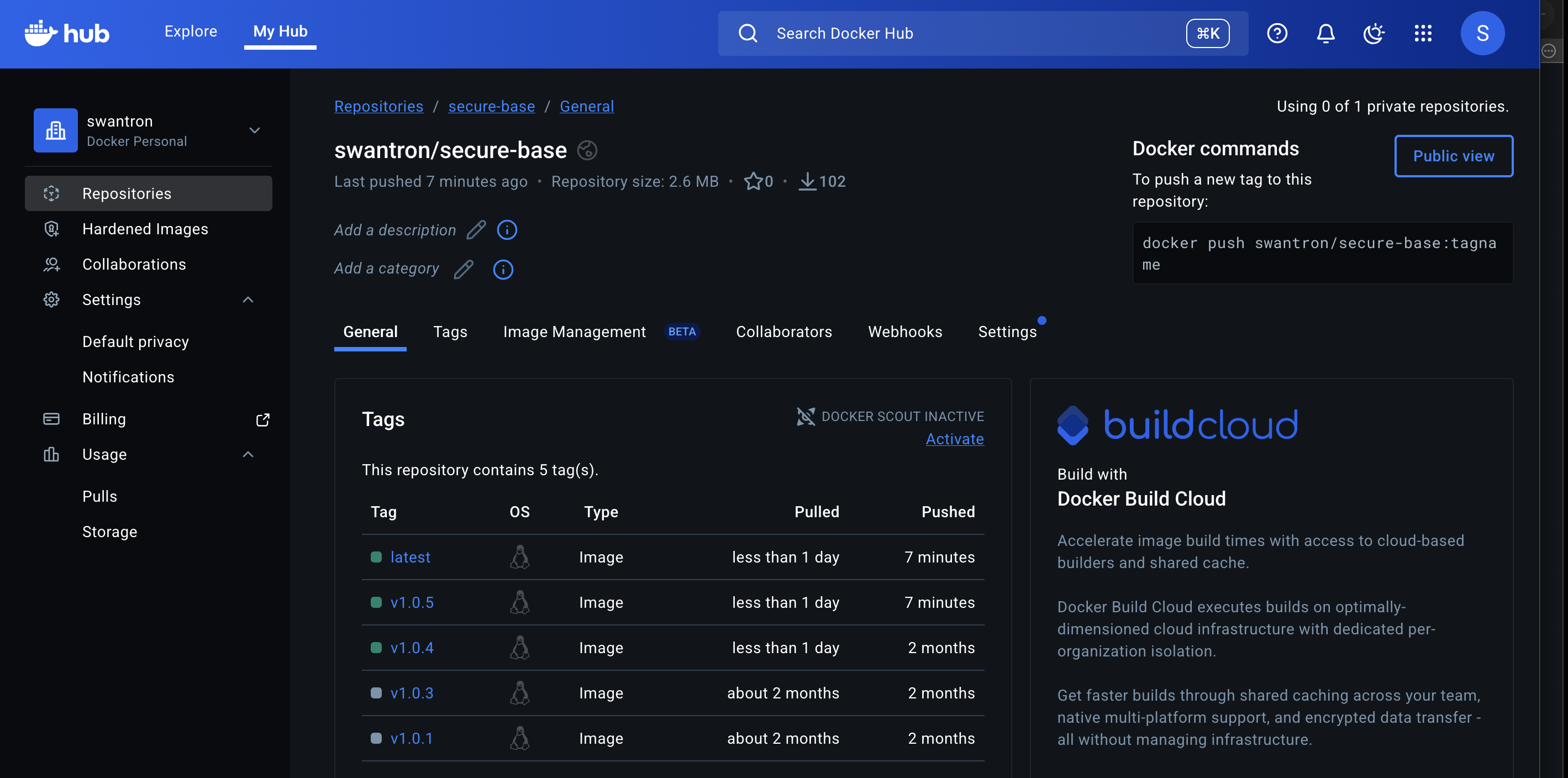
Published to Docker Hub with latest and version tags

Get It

Source: https://github.com/swantron/secure-base-images

Docker Hub: swantron/secure-base:latest

The QUICKSTART.md gets you from zero to published in about 10 minutes.

tronswan update

I’ve been busy with tron swan dot com.

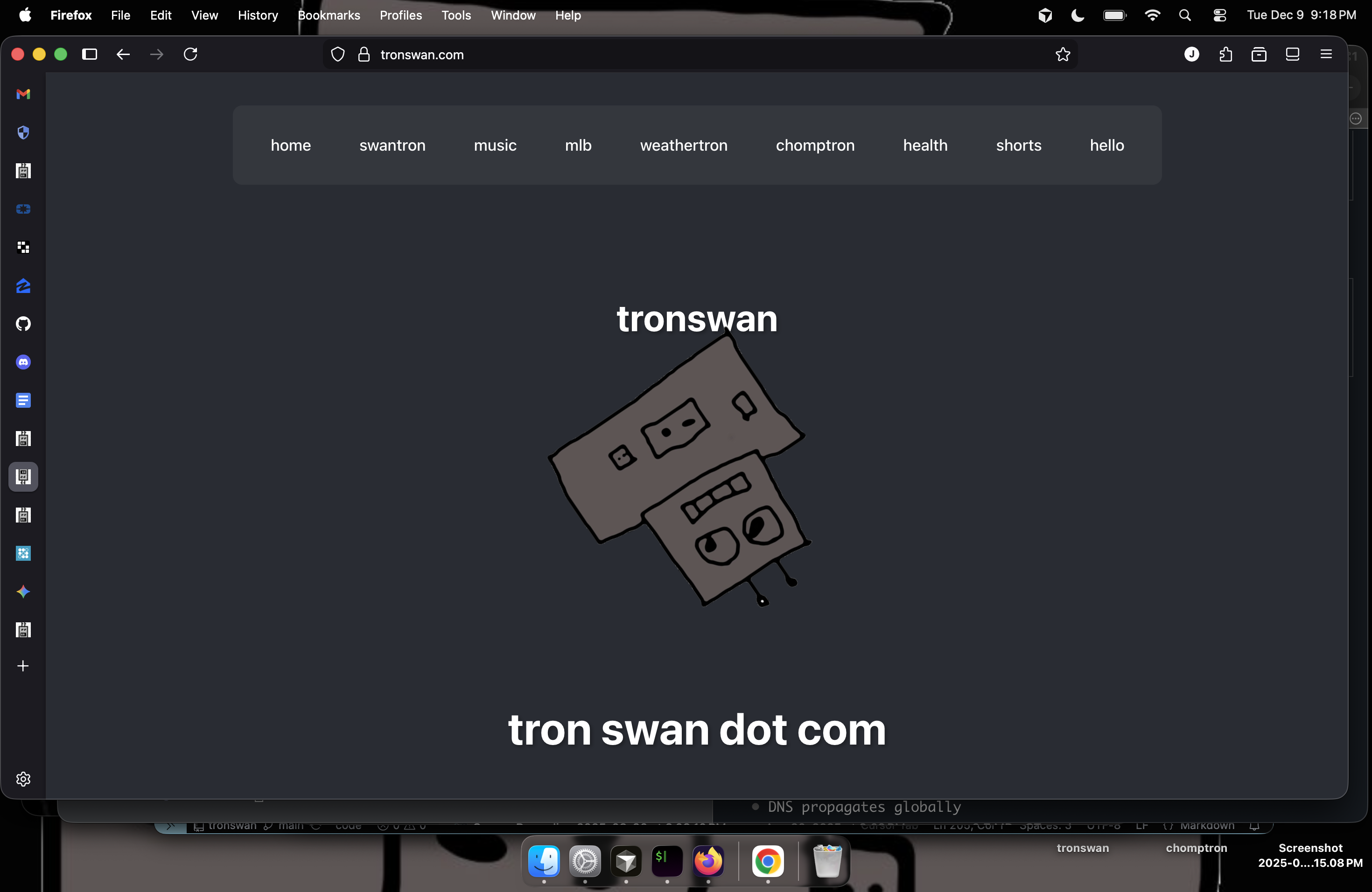
It’s still just hammering on stuff and learning, with a robot motif. The robot spins.

Spinning robot

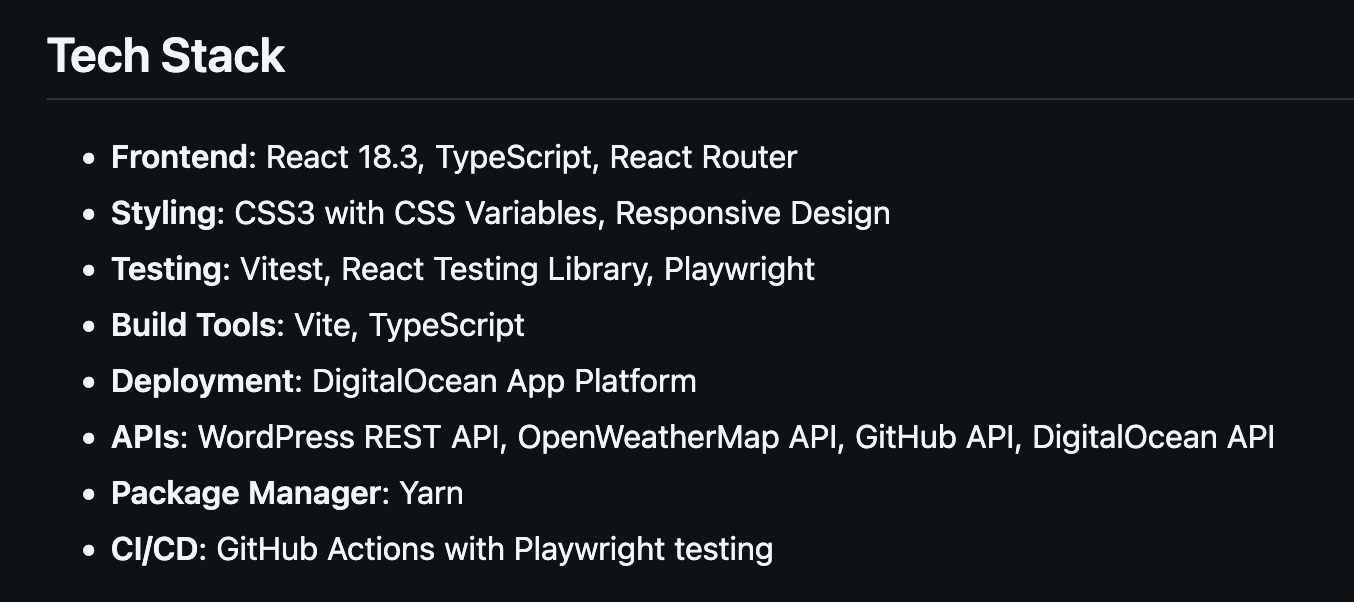
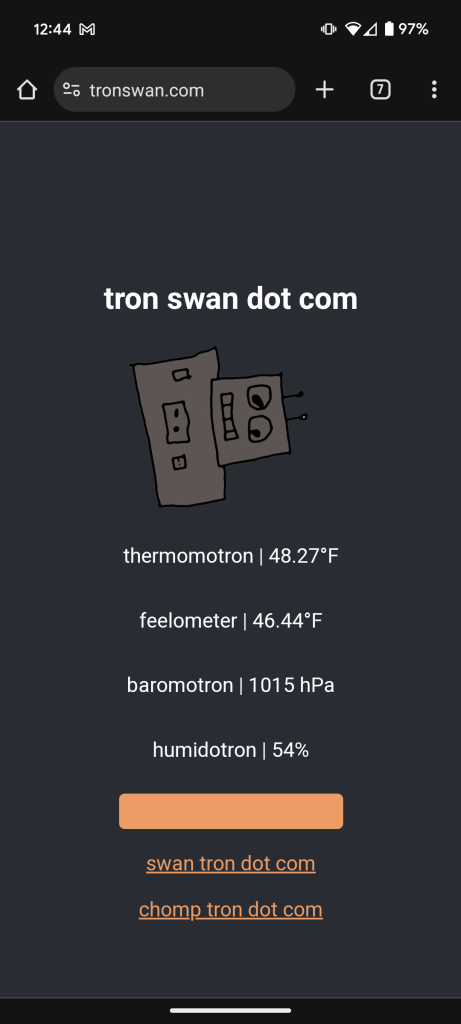
Reminder: the site is a playground, and is sort of stupid. It is also a nicely done React site with modern patterns and a legit pipeline. I run a bunch of health checks for other services.. there is a nice weather feature.. I use it to stream Spotify while I work. It is all over the place.

Here’s the source: https://github.com/swantron/tronswan

Eclipse Colander

strain noodles: ❌
strain sun: ✅ 40%-ish solar eclipse in Bozeman. Time to make crescents.
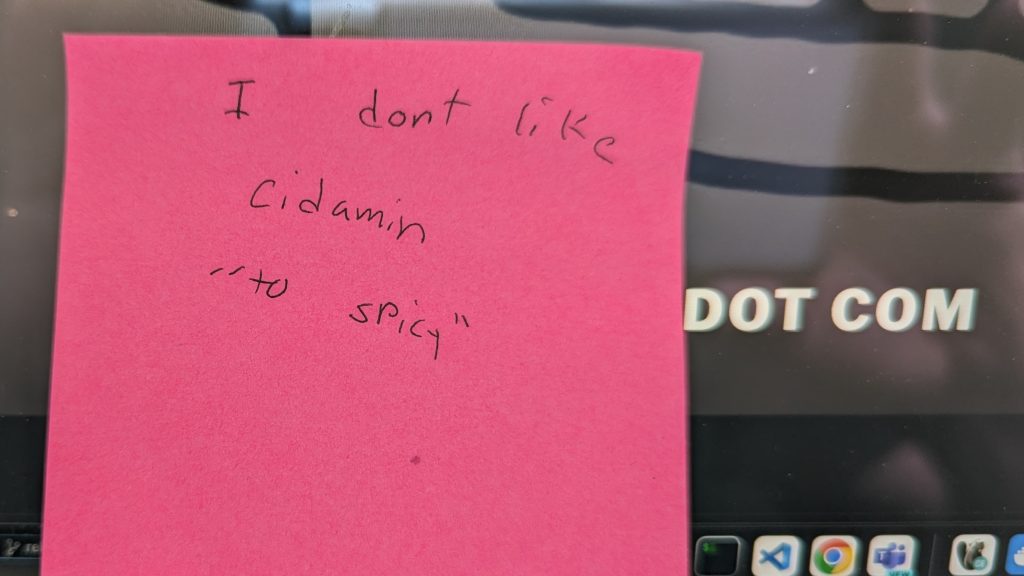
cidamin

10 year-old provided jellybean feedback to 12 year-old..

tron swan dot com

Alex from Peloton likes to say something along the lines of “you don’t have to get ready if you stay ready.” Its pretty good advice.

Along those lines I decided to put together a react app to stay fresh. I’ve been hammering on (gitlab) pipelines and api frameworks at work for most of the year.. time for a project.

It is live on tronswan.com The goals were to:
- hit some APIs from react
- mess around and build some components
- implement playwright on a project
- write GH Actions to handle build / test / deploy
- POC CI/CD to DigialOcean

Pretty fun project.. I’m displaying weather stuff and doing fizzbuzz via a weird component. Full CI/CD. Take a look if you’re bored.

https://github.com/swantron/tronswan

MT is Cold

➜  ~ curl -s https://api.openweathermap.org/geo/1.0/direct\?q\=Bozeman\&limit\=5\&appid\=$WEATHER_API_KEY | jq .
[
  {
    "name": "Bozeman",
    "local_names": {
      "en": "Bozeman",
      "ru": "Бозмен"
    },
    "lat": 45.6794293,
    "lon": -111.044047,
    "country": "US",
    "state": "Montana"
  }
]
➜  ~ curl -s https://api.openweathermap.org/data/2.5/weather\?lat\=45.67\&lon\=-111.04\&appid\=$WEATHER_API_KEY\&units\=imperial | jq .main
{
  "temp": -18.99,
  "feels_like": -31.59,
  "temp_min": -21.44,
  "temp_max": -15.3,
  "pressure": 1022,
  "humidity": 71
}