Liquid crystal displays are pretty awesome. Command line interfaces are very awesome. Hmm…
I started daydreaming at work about how to go about making hardware interface with an RSS feed. I have seen some projects that use Arduinos with ethernet shields to check Twitter, for example, but they seem unnecessarily bulky. Or clumsy. I spend a lot of time working on the command line, and love to put together dirty little scripts to solve problems. It sort of goes along the lines of ‘when you have a hammer, everything looks like a nail’…I figured that the same thing could be implemented with a little shell scripting and my trusty Arduino, sans anything complicated.
So far, so good.
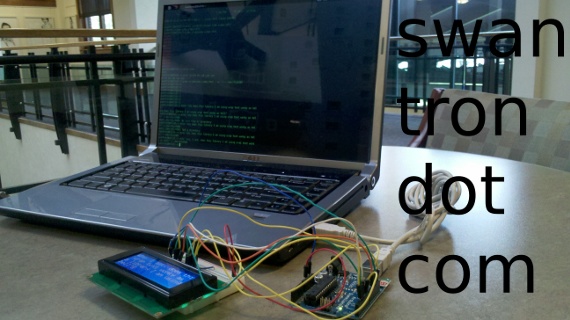
I put together a sketch (after the bump) to drive my LCD, writing serial output to the screen. After verifying that the sketch worked via the Arduino IDE’s serial monitor, I popped open a CLI and got to work. FWIW, I am using Ubuntu 11.04 still…ctrl-alt-t pops open a terminal window…unity has me all over shortcuts these days. Anyhow, I was able to verify that I could echo text and direct it to the USB port that the Arduino was mounted to. No sweat.
As a proof of concept, I decided to display the number of times that I had the word “awesome” on swantron.com. Once the LCD was shown to work, the sky is the limit…see some regex, pipes, wget, and so forth in action:
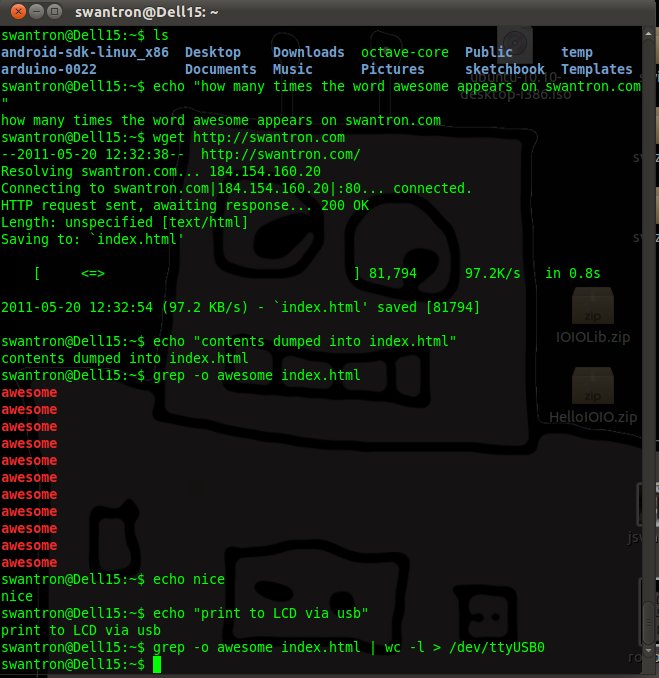
Survey says:
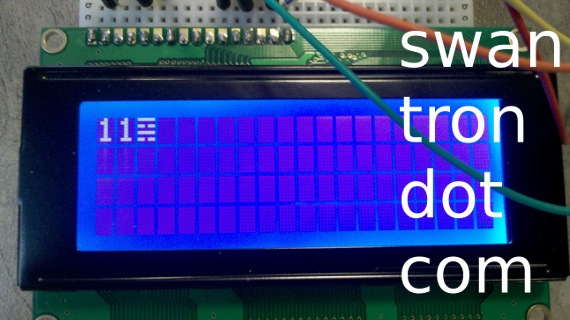
Eleven “awesome"s. Awesome.
So that is that. You could link two of these together for 160 characters…toss together a shell (or Python, etc.) and have a Twitter display, for example. Whatever you want to…gosh.
I did notice an odd “feature” of the Liquid Crystal library I used. For some reason, it wraps lines in an interesting fashion…
command line usage: **
echo “why does this library I am using wrap text wonky as hell?” > /dev/ttyUSB0**
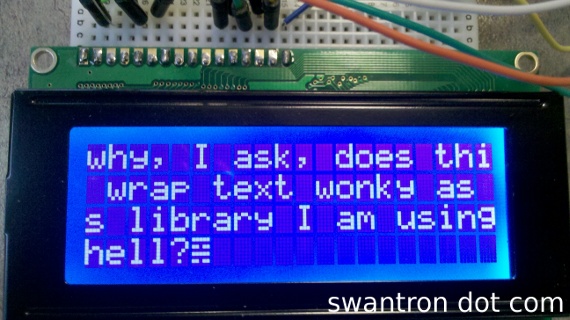
No idea why this is. Sort of confusing. Anyhow, the entire sketch is pretty straight forward. Did somebody say snippet?
// LCD sandbox
// https://swantron.com
// driving LCD from command line
// 2011

#include <LiquidCrystal.h>

// **Define pins**
// LCD RS - pin 12
// LCD R/W - pin 11
// LCD ENABLE - pin 10
// LCD BACK+ - pin 13
// LCD DATA4 - pin 5
// LCD DATA5 - pin 4
// LCD DATA6 - pin 3
// LCD DATA7 - pin 2
// LCD VSS, CONTRAST,  BACK- - ground

LiquidCrystal lcd(12, 11, 10, 5, 4, 3, 2);

int backLight = 13;    // Define pin for backlight

void setup()
{
  pinMode(backLight, OUTPUT);
  digitalWrite(backLight, HIGH); // Backlight level (LOW / HIGH)
  lcd.begin(20,4);               // (Columbs, Rows)
  Serial.begin(9600);
}

void loop()
{
  // when characters arrive over the serial port...
  if (Serial.available()) {
    // wait a bit for the entire message to arrive
    delay(100);
    // clear the screen
    lcd.clear();
    // read all the available characters
    while (Serial.available() > 0) {
      // display each character to the LCD
      lcd.write(Serial.read());
    }
  }
}
We’ll see where this one ends up. This one might be a launching pad for a bigger and better thing. Stay tuned.