We have notebooks all over our house. Not notebooks in the traditional sense, but notebooks in the sense of ’the future of computing’ notebooks. You know, laptop computers. The future is upon us…especially how even notebooks seem too bulky for everyday use. Tablets and Androids man. Tablets and Androids. That was the longest, least-sensical lead into a post ever. Probably. It is like I am trying to avoid writing about a topic like finding a [link removed] around Bozeman. Which I surely am not… I found a good site that I have been using to research service centers… 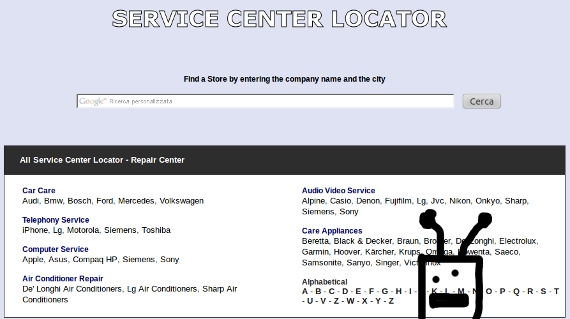 The bad thing about sites of this nature is over-saturation. Most locator sites have a gaudy front-end, and zero results. On the other end of the spectrum, service-center-locator.com has focused on the results, which is what I value in a site. Case in point…
 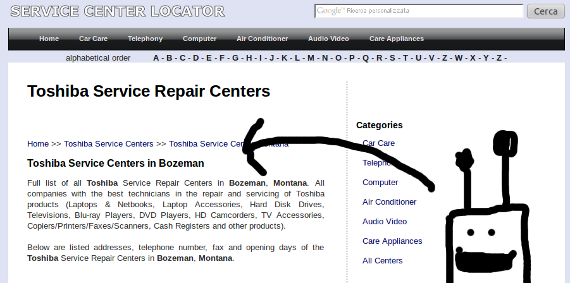 I was searching for a repair site for Katie’s Toshiba notebook. Guess what…Toshiba has a certified repair shop in Bozeman. I would not have come to that conclusion without contacting Toshiba directly, or bringing the unit back in for a warranty claim at Office Depot. Unexpectedly cool. So hit that link above to see for yourself. I am a tech guy, so I stuck mostly with computers and phone stuff, but the site will let you track down services as widespread as you can imagine. Take a look…
Leaf Blower POV
Trees and leaves, man. Trees and leaves.  Good thing I picked up a new Hitachi two-stroke leaf blower from Woot. Video one: Droid meets concrete Video two: Leaves meet street I’ll fully admit that video one wins.
Pushing to Master
Just hanging out. Committing a little Java. 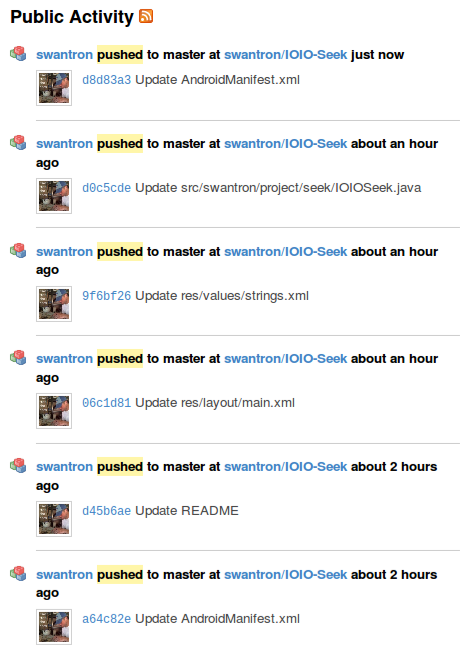 Introducing IOIOSeek v2.1.
 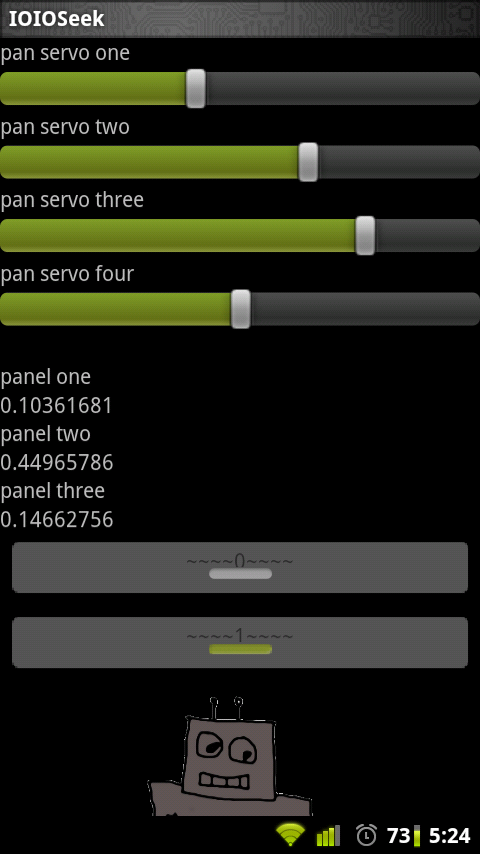 In preparation for my next project, I have beefed up my app to support four simultaneous servos, three real-time analog readings, and two binary digital outputs. I cleaned up the UI, and added some README details. You can snag the app or update on the Android Market (search for IOIO)
 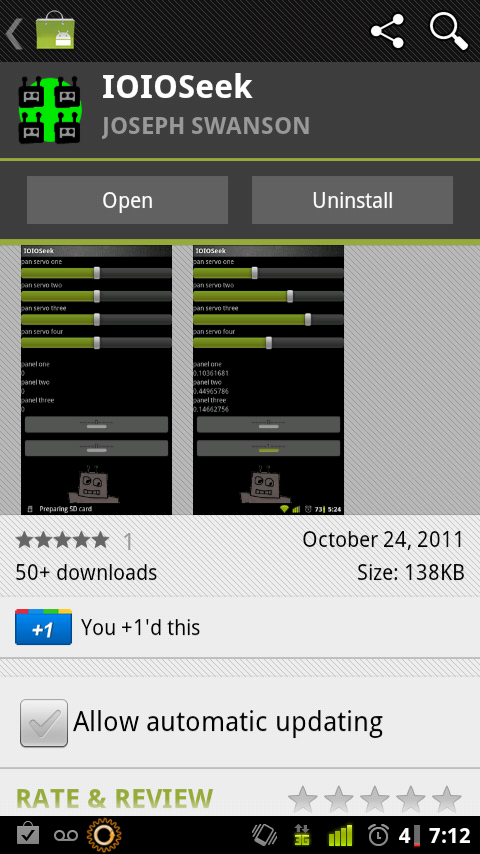 Pop over to the Android Market and give a review if you have it going v
 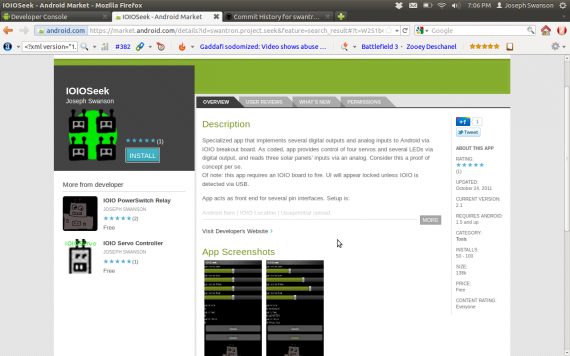 As the commits hint, I have pushed my code out to my GitHub page. Fork that thing. Stay tuned for the next project…I just need to find some time to smash together the hardware and we’ll be good to go.
Android SDK / Eclipse / Ubuntu
I updated to Ubuntu Oneiric Ocelot last week. For some reason, the automatic upgrade process botched pulling over my Android Development Tools (ADT) components. Chalk this one up with the strange camera issue I am seeing, as two votes for bailing on a fixed release cycle. Canonical has pushed out two consecutive iffy builds…but I digress. It had been a while since I had set my Android development environment up. I had to start from scratch, so figured I would spell out the process. Note the lack of “Android *” from the list of installed components: 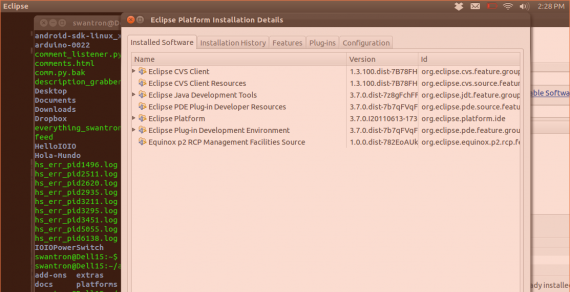 I’m starting from the point of having Eclipse installed. That part is straight forward…I snagged it off of the Ubuntu Market, but you an do it with Aptitude or however you like. Same goes for the JRE and JDK, the Java Runtime Environment and Java Development Kit. Snag those from the Market, Sun’s site, or apt - get…verify you have the correct version by running “java -version” from the command line. Mine is currently:
swantron@Dell15:
$ java -version java version “1.6.0_23” OpenJDK Runtime Environment (IcedTea6 1.11pre) (6b23pre10-0ubuntu5) OpenJDK Server VM (build 20.0-b11, mixed mode) The Android SDK is the next component to snag. It has two pieces: Standard SDK (starter package) and SDK components. The later is where you can grab pieces to test Galaxy Tabs…stuff like that. The specifics are located there. You first need to download the starter package from d.android.com/sdk and run the UI. There you can pick and choose the pieces you want to implement, manage emulators, etc. The last piece is the actual Eclipse plug-in. It is simple to implement. Navigate to Help . Install New Software, and feed through the process until you are asked for a site location. Said site is dl-ssl.google.com/android/eclipse A restart should have Eclipse up and running. Give a shout if it doesn’t…after doing this a few times, I am becoming somewhat of an expert.
Upgrade to CyanogenMod
My relationship with Motorola’s firmware has ended. It was a good run…well, no. That is a lie. It was certainly better after rooting my Droid 2 and wiping out Verizon’s boatware, but the Moto* junk had to go too. I finally decided to gut everything and install Cyanogenmod yesterday. It is plus one awesome. Although the process of flashing Cyanogenmod’s firmare involves a little work, it is no more difficult than rooting the phone in the first place. Since I did that a while ago, I really wasn’t concerned with blowing up my warranty…I figured bricking the thing would either result in some sweet haxxing or a new phone. Win / win. I would suggest an upgrade to anyone. My phone finally screams, as it should have from day one. My battery life is better | everything imaginable is configurable | my apps and Google accounts all work | and, wait for it, I don’t have to kill processes all day. In fact, I don’t have a stand-alone task killer going…that is pretty surreal still. Well, as with any exercise of this nature, backing up is imperative. Astro File Manager is great…Titanium Backup is great. The other players are the same too…ClockworkMod Recovery makes snagging the MODs easy. I am actually running a daily build, since there is not an official stable build for the Droid 2 yet. No memory leaks though, and everything so far has been functional. Anyhow, on to the actual firmware stuff. I downloaded the zip file, and booted into recovery mode…  …during game one of the World Series. Not sure if that is Pujols or Furcal in the reflection. Either way. Great picture, huh? This is the first time I have used my webcam since upgrading to Ubuntu 9.11. Whoops…screwed up the camera, fellas. On the screen is a ClockworkMod selection for Google’s bits. I imagine that this was done for legal reasons. Anyhow, I had to go back and install this from recovery, as I missed it at first.
  Hi Katie. ^ I also managed to get stuck in a boot loop of sorts during my first attempt. It turns out that I cleared the data but not the cache from the recovery menu. No good. A pulled battery and some troubleshooting and we were good to go.
  I spun up the Android market, and did fresh installs of my apps. For the important stuff (the Angry Birds Trilogy, 9 Innings Pro Baseball, et. al.) I pulled the backup data back over top of things. No issues. I had been wanting a landscaped workspace since I got my phone. .. now I know why…
 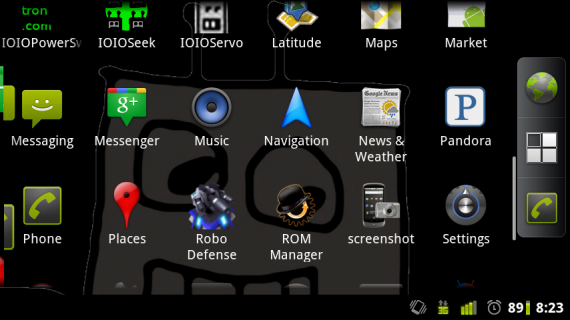 It just makes sense. CM7 allows this to be configured. Like basically everything else. Want your menu on the bottom? Put it there. There are options all over the map…like the camera exposure, for instance.
 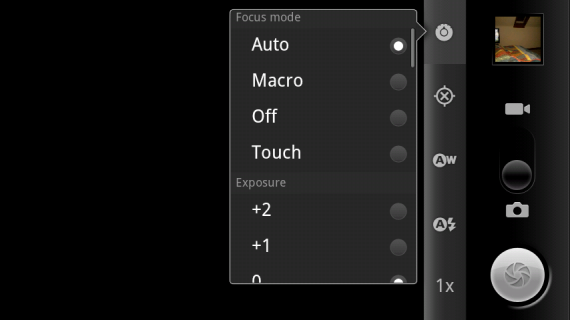 Sweet. It is tough to beat the performance gains in general, but it is wholly possible. Check this out:
 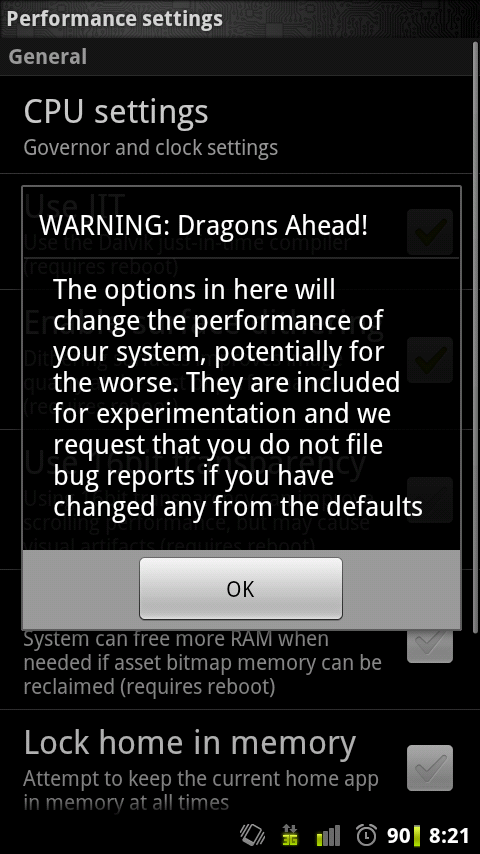 One stop overclocking. Disregard that popup and go nuts. One part of me wishes that mobile carriers would take note of Cyanogenmod’s presence and push Android updates to customers. The other part of me likes to void warranties and do things that the clowns from Verizon frown upon. Either way, my phone is now awesome…that is all that matters.
Quantum Levitation Explained
Quantum Levitation is all over the webs. It is way easier to find videos than it is to find explanations…it all boils down to this:  You may want to kill the sound for the video…pretty obnoxious. As speculated, the main thing in play is the fact that at areas of the superconducting material that are not uniform, (defects) flux tubes exist as the material is cooled to extreme temperatures. These tubes act to ‘pin’ the item, with respect to the permanent field. Physics rules. I really need to track down some liquid nitrogen.
IOIO Seek Redux
I published my code for the IOIOSeek project to GitHub. Here it isFork it, do what you will. 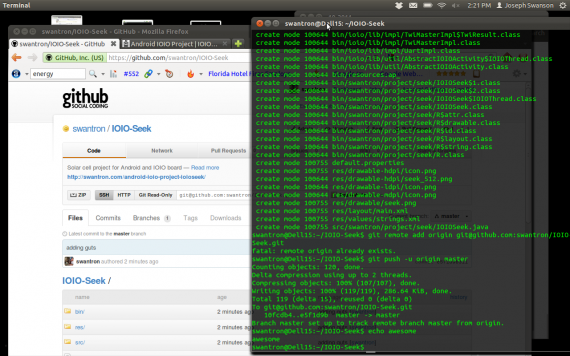 My next step is to refine the project, add some automation, and make it cooler in general. I grabbed a few thing to make that happen:
 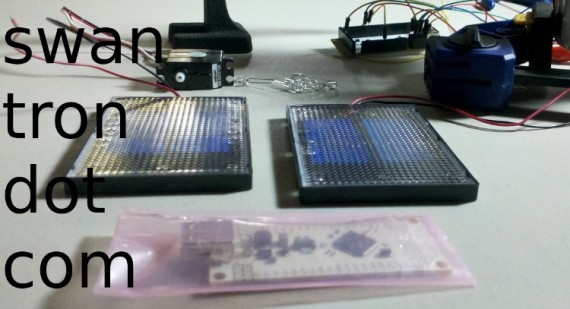 Second IOIO board for bootloader work…which will allow for bluetooth communications between the board and a phone. Two additional solar panels…to increase the complexity of my sensor setup. Stay tuned…things should be in the works.
Online Tech Auctions
I spend too much time online…I’ll fully admit it. It is absolutely necessary, however; I test SaaS for a living. My physical computing projects do not lend themselves to non-online research. Non-online…holy smokes. I think I just coined a new term: nonline. I should trademark that. Anyhow, I spend a ton of time staring at screens. That has changed the way I conduct myself, in general. One of the fall-out things I have noticed is in shopping. Where I used to do product research at brick and mortar stores, now I do all of my research online. Most of my purchases are now done online too. I never thought I would buy jeans online, for example, but now I do, without fail. Certain items are foolish to buy at a physical storefront… especially anything tech related. There are the conventional online stores, but if you have some patience and a good eye, online auctions can be the best source of deals. My favorite auction site is DealFun…case in point: 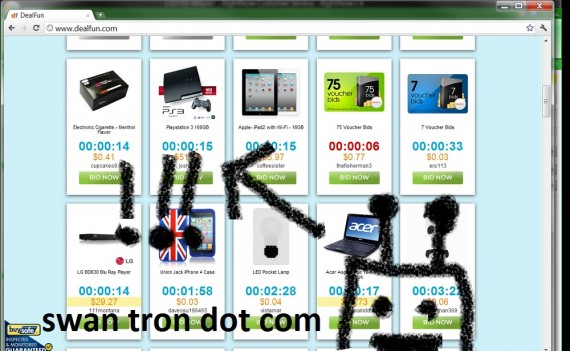 A super cheap PS3 is par for the course. DealFun has all sorts of screaming low prices that end up winning auctions, but they also have the customer service aspect to boot. As the dealfun.com reviews indicate, they are reputable in addition to providing good deals. You want that…trust me. Another cool thing about that site, is the notion of beginner’s auctions. You can learn the ropes without spending a fortune on bids. Pretty cool. Take a look…holler if you see a Kinect.
Ubuntu Update Day
The Dell Mini 9 always draws short straw. The little guy once again gets to play the part of guinea pig, and be the first to upgrade to the new version of Ubuntu. 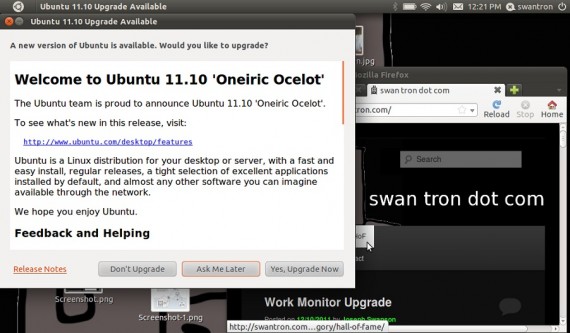 V. 10.11 a.k.a. Oneiric Ocelot We’ll see if they sharpened Unity up a bit. Preliminary reviews are pointing at a good release. Expect my review before long. FWIW, ‘oneiric’ is a mouthy way to say dreamy. I don’t care for the word, and neither does my spell checker.
Work Monitor Upgrade
Add another 17" monitor to the boneyard…I’ve upgraded to a new 24" widescreen. 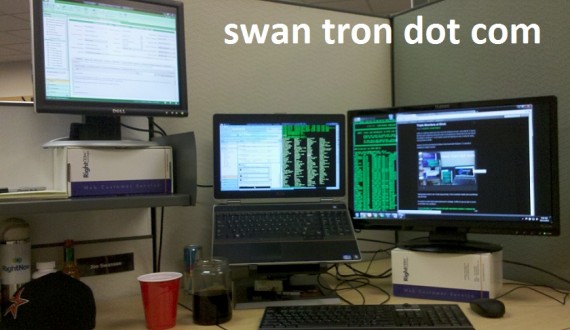 One step closer to my end-goal of two 24" screens to supplement my 17" notebook. Big glowing rectangles, FTW.