A while back, I collected my first Woot BOC. The prize crap in the bag of crap was, without any doubt, the radio controlled Batman helicopter. Great Scott… 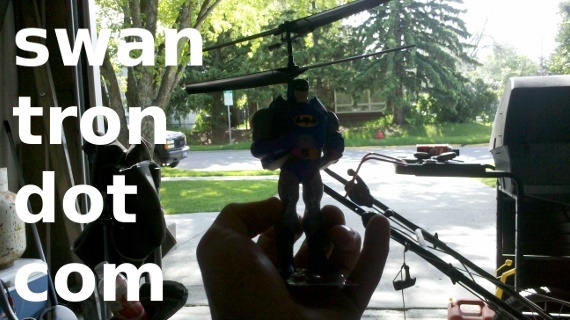 Wrong movie catch phrase, right? Well, so too are the aerodynamics of a helicopter SHAPED LIKE BATMAN. She is not a very sky-worthy vessel. The rotors push air directly into the clear plastic tab connected to his booted feet…it is not stable at all. Time to tear it up.
 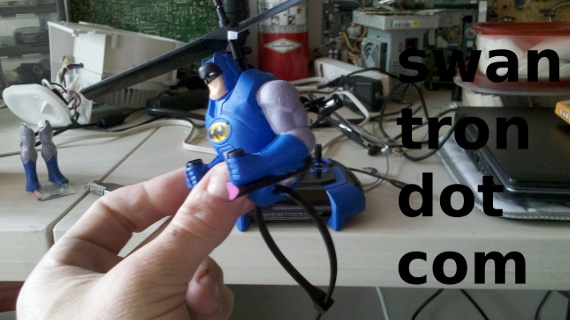 I figured that I could remove the obstructive plastic and have a machine that would function well enough to navigate around the garage-shop. I removed the guys legs, which were light enough to be approximated with a zip tie. As I had hoped, the new lower portion acted to dampen some of the erratic flight.
 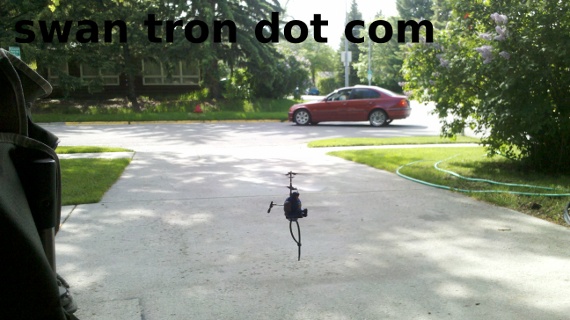 It was stable enough to allow me to snap that picture…not a possibility with the unmodified original. Curiosity got the best of me, as it always tends to. I had to break this apart to see how it worked. I am sort of impressed I took the intermediate steps this time…most of my tear down sessions are done quickly and rabidly.
 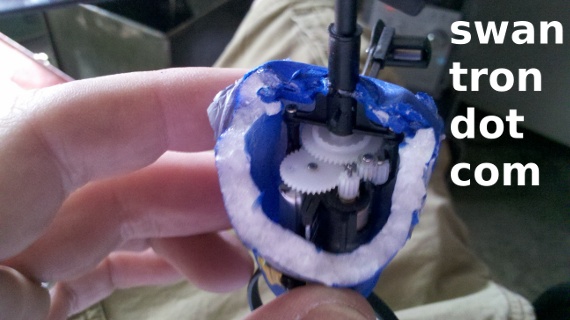 This was sort of impressive, actually. The foam chest cavity was hollow to allow for the constituent components…including the mechanical gears. Light, protective, and durable…the triple threat. It was, until I removed it completely…
 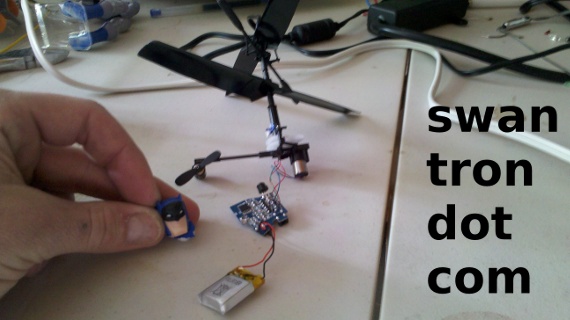 There you have it…pretty basic design. Two variable motors, an IR receiver, a battery, a DC power jack, a switch, some caps and resisters, and a chip to run it. The IR sensor was hidden in Batman’s utility belt. Great Scott that is clever. After all of that, this puppy still flies…
 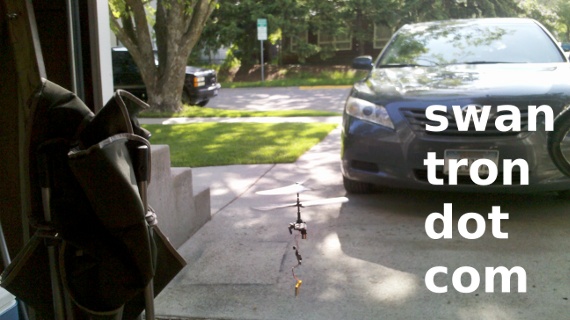 I was pretty gun shy to let that rip. It took a couple of dives in my first two picture attempts, wrapping the battery cord around the rotor assembly. It still works…pretty tough little guy. Next step…I’m going to get into that controller. It acts as both the charging unit and IR sender, in addition to providing the variable control to the motors. It shall be awesome. Stay tuned.
Fancy Lunch
Most of the programmers around me subside wholly on Mountain Dew and Cup ‘o Noodle. Time to class-up this joint.  Skewers should do the trick. +1 fancy.
Twitter CLI Teaser
I sort of forget what my original project entailed…something about tweeting via the command line, for Arduino purposes. You can pretty much just toss a bunch of words in a hat, and add ‘Arduino’ and ‘Command Line’ to them, and there you have one of my typical projects. Anyhow, here we find ourselves. I am missing some dependencies with OAuth, but have managed to get twitter working from an interactive python shell: 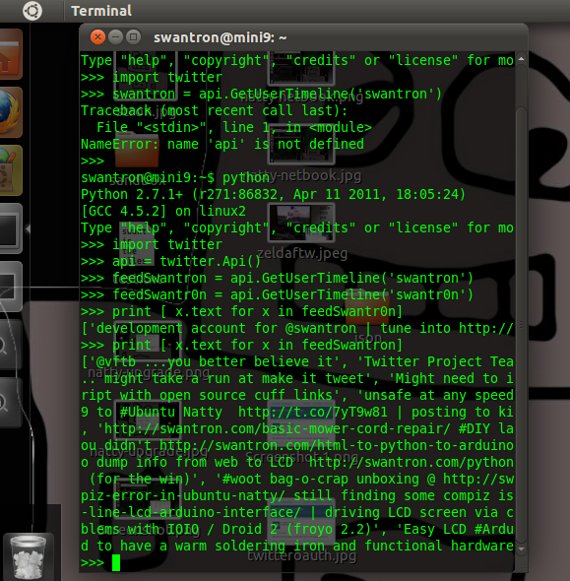 This section is as much for my reference as it is for public knowledge…I snagged the commands that I ran to snag my comments. It first prints swantr0n (my dev account) and then my primary Twitter feed, @swantron
swantron@mini9:~$ python Python 2.7.1+ (r271:86832, Apr 11 2011, 18:05:24) [GCC 4.5.2] on linux2 Type “help”, “copyright”, “credits” or “license” for more information. »> import twitter »> api = twitter.Api() »> feedSwantron = api.GetUserTimeline(‘swantron’) »> feedSwantr0n = api.GetUserTimeline(‘swantr0n’) »> print [ x.text for x in feedSwantr0n] [‘development account for @swantron | tune into http://t.co/SpDFBkK for projects’, ‘hello world’] »> print [ x.text for x in feedSwantron] [’@vftb …you better believe it’, ‘Twitter Project Teaser : http://t.co/7ZrOLUn | one step closer to tweeting from the #CLI … might take a run at make it tweet’, ‘Might need to implement some sleeves into my wardrobe… @adafruit just flipped the script with open source cuff links’, ‘unsafe at any speed… updating #ubuntu on the road http://t.co/Q8gfc56', ‘Upgrading Mini 9 to #Ubuntu Natty http://t.co/7yT9w81 | posting to kill time… review here ( http://t.co/RM675lX ) lunch-aft on the morrow’, ‘https://swantron.com/basic-mower-cord-repair/ #DIY lawn mower repair from a #math major. spoiler: it works’, “#arduino no you didn’t https://swantron.com/html-to-python-to-arduino-to-lcd/ #LCD project, stepped up a bit”, ‘working on a python script to dump info from web to LCD https://swantron.com/python-teaser/ #arduino’, ‘http://youtu.be/MpomhE6dgww video of #boc unboxing (for the win)’, ‘#woot bag-o-crap unboxing @ https://swantron.com/woot-boc-unboxing/ not too shabby’, ‘https://swantron.com/compiz-error-in-ubuntu-natty/ still finding some compiz issues in #ubuntu 11.04’, ‘#Arduino project @ https://swantron.com/command-line-lcd-arduino-interface/ | driving LCD screen via command line’, ‘@RobotGrrl… what version are you running? I had no problems with IOIO / Droid 2 (froyo 2.2)’, ‘Easy LCD #Arduino Display | https://swantron.com/easy-lcd-arduino-display/ | feels good to have a warm soldering iron and functional hardware’] »> I will keep plugging away until I get this thing hammered out. If not, I can print this suff to my LCD for a real-time Twitter display. Could be cool either way.
Satellite Internet Basics
Q) What would make a guy throw caution to the wind, and void a (quite significant) warranty on a piece of technology? A) An internet addiction. I rooted my Droid 2 a while back, largely due that answer above. That power-thirsty screen, with all of its hi-def beauty, is awesome for web browsing. My project requirements often find myself hammering out code on either my netbook or notebook, in dire need of an internet connection. Poor wi-fi signals just don’t cut it…I rooted my phone for access to that lovely Verizon 3G. Don’t tell Verizon. Do tell Verizon that my battery life is easily doubled, now that their bloat-wear has been removed. Nuked from orbit. But, I digress. There are many, many places that have either awful cell reception or no reception at all. What is a guy to do? Connect from orbit…  Say you have just moved to a new house. Say you are in a trough of garbage cell coverage…out in the country, maybe. You will find yourself with two likely options: low speed dial-up internet, or high speed [link removed]. I bet you know which one I would chose. Hit that link to see what I am talking about. It is the only viable option for a decent connection at times. If you want some numbers, with these connections you can see download speeds up to 1.5Mbp…which is roughly 30 times faster than dial-up. See…no joke here. The weird thing is that these packages are pretty much the same price as my connection with Bresnan. Sort of puzzling how they can offer deals like this. Hit that link to see what I am getting at. I’m off to feed my internet addiction.
Twitter Project Teaser
A while back, I tossed a little concept video out to the nets regarding CLI interface with my site’s comments and an LCD screen. I figured that I could do a similar thing with my Twitter account…spurred largely by Adafruit’s Make it Tweet challenge. Well, it turns out that Twitter has a few hurdles to jump, in regards to posting tweets to an account. My failed usage from the command line was utilising curl > curl -u swantron:pass -d status=“command line test” http://twitter.com/statuses/update.xmlI was getting an error message, that basic authentication was not supported. For the loss. It turns out that you need a few keys in order to authenticate, which requires registering an app with Twitter… like this 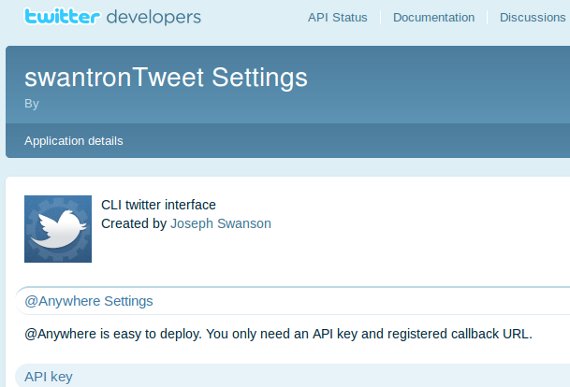 There we go…keys in hand. Now, I need to figure out how to sew this together using curl or wget. If all else fails, I am pretty sure there is a py library that I can snag. Stay tuned…this one could be fun.
Ubuntu Natty Netbook Review
I have had Natty on my Mini 9 for a few days. It runs like a top. 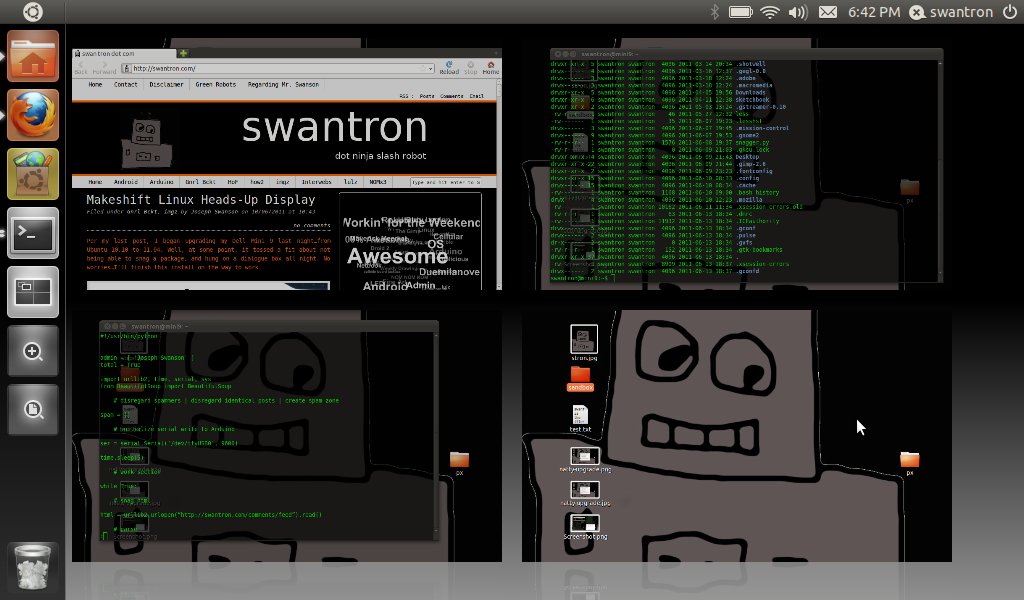 Solid state HD equates to a sub double digit boot time…be sure to configure compiz via: sudo apt-get install compizconfig-settings-managerThat is about it. Plus 1. I would rattle on about 11.04, but I already have a few posts back. Besides, I have bigger fish to fry. Namely, Gannon…
 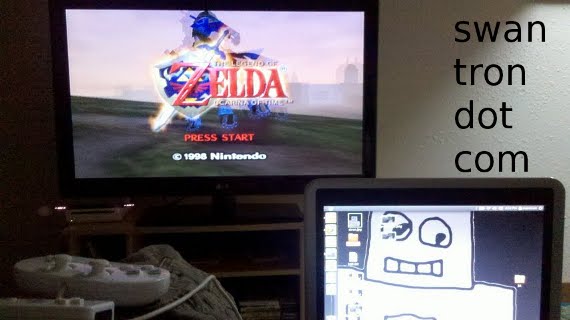 I’m in my 30s, and just now getting around to beating Ocarina of Time. Katie and Man-Dawg are watching the Bachelor (or Bachelorette; no effing idea) downstairs…here goes nothing
Makeshift Linux Heads-Up Display
Per my last post, I began upgrading my Dell Mini 9 last night…from Ubuntu 10.10 to 11.04. Well, at some point, it tossed a fit about not being able to snag a package, and hung on a dialogue box all night. No worries…I’ll finish this install on the way to work.  Who said netbooks are passe? Looks like that guy was designed to ride on the dash of a Silverado if you ask me. For the record, I was not doing 110 MPH by the MSU campus. I have an issue with my speedometer. I was doing 90 MPH, tops. My install was a success for the record. I will see if all functions are fully functional soon, and put together a post.
Ubuntu Natty Netbook
As my primary notebook has proven that can run several terminals, a Firefox tab or four, Eclipse, and the Arduino IDE simultaneously without shitting the bed, it is time for my netbook to follow suit. Q: What suit? A: The Ubuntu 11.04 suit…you know, Natty Narwhal? Q: I don’t know cards. This is cards, with the suit thing, right? A: Busted. No idea…very unsure of the spelling of ‘suit’ too FWIW 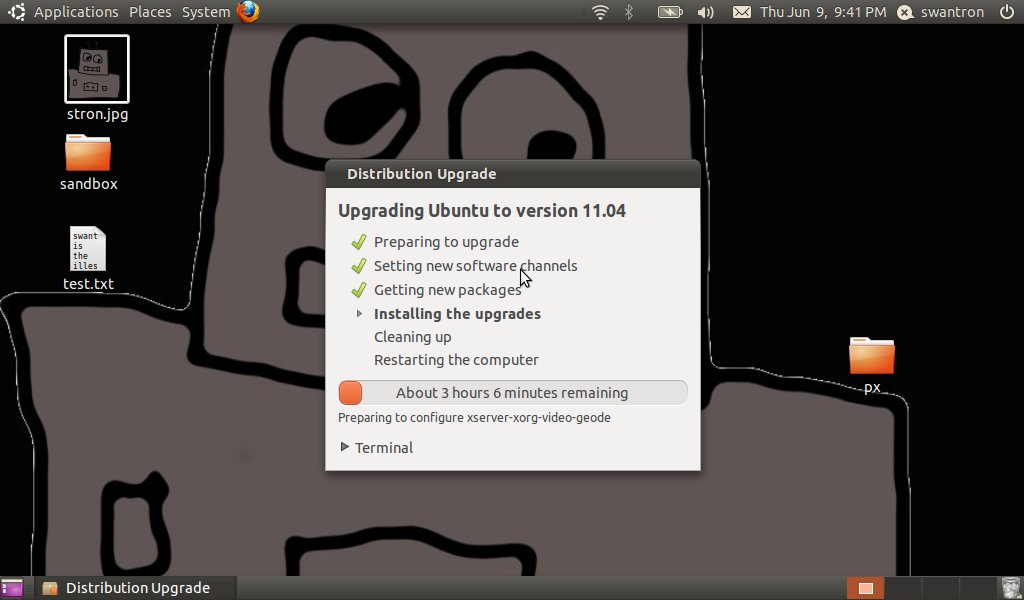 Tune in tomorrow to see how it all ends up. Wear a suit.
Basic Mower Cord Repair
I snapped our lawnmower cord. Oh snap.
As it happens, I can fix anything. Without exception.
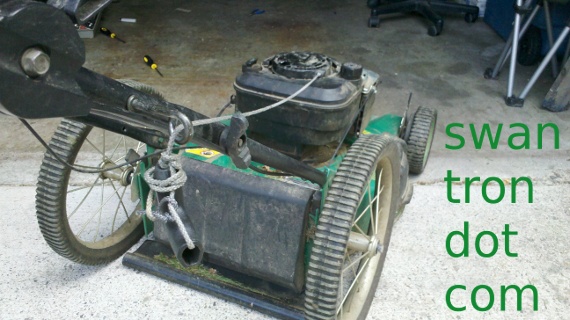
My one-pull-wonder lawnmower has been a great machine. Katie has been using this mower since she was a tween…my father-in-law upgraded and packed this to Bozeman when he upgraded to a new mower many mows ago. With a thunderstorm brewing, I was in a hurry, and swoll, and I ripped the cord in two.
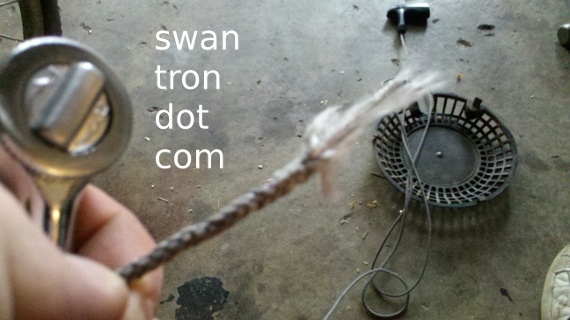
No good. Let’s fix it. Pliers and snips…get in there. See how it works.
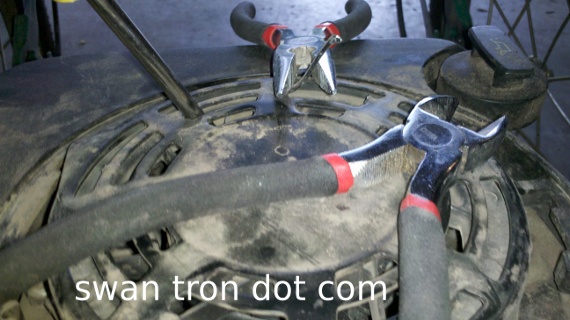
I noted a spindle, sans an enclosed routing. There was a lead weight on the cord, apparently fitted to keep some back-tension to alleviate any sort of rat’s nesting extra cord. I dug up the access point via my makeshift access point:
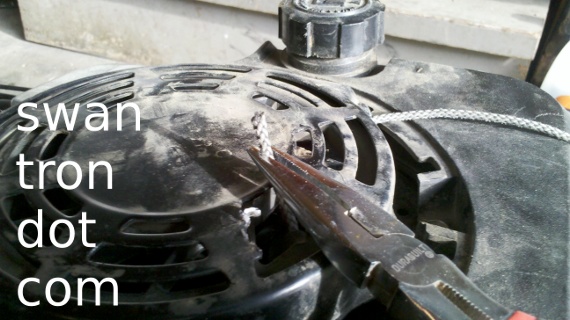
Cord: fed. Next:
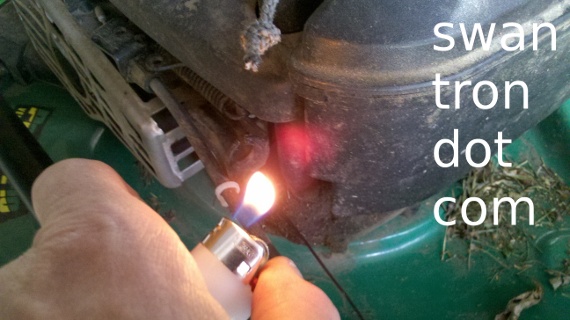
I noticed that the cord had been singed at the ends. When in Rome…singe the cord. Video time:
It works. I couldn’t figure out how to wrap the excess chord without disassembling the fuel system, so I didn’t. We have an awfully short action on our lawnmower pull, but it fires right up when primed. +1 works as intended.
Not a bad little Monday-after-work-trying-to-do-something-mundane-and-learning-some-awesome-junk. I should update my resume.
Trustworthy Online Brokerage Account & Services
So. I may be one of the only people in the world left who listen to talk radio. More embarrassing than that, I would, without a doubt, be considered a dedicated listener. There is nothing worse than the audio quality of AM radio, except for AM radio in a truck with all sorts of metal accelerating around…big pistons, questionable wiring, and a poor antenna make for very, very poor radio reception. Interference, for the loss. I used to be all over antenna theory back in my undergrad days…KD7NZI. Yep. Licensed HAM radio dude. I promise to touch on that one of these days. Or threaten. Now, I am pretty much on the AM radio, and on my talk shows. The heart of the matter for today lies in ways to handle finances. My beloved, awful AM radio is nearly wall-to-wall advertisements for gold purchasing firms. Places of ill repute, when compared to legitimate stock account joints. It may be tough to consider, but it is very important to do so. Money of all nature has (inherently) value, and that is not to be taken lightly. Pause for picture.  I do 100% of my money work online. In fact, my Wells Fargo accounts have embarrassingly small rates of return…interest takes second base to online access for me, for what it is worth. That is where it is…from my IRA, to my stocks, to my savings and DDA accounts, it is all accessed/managed online. The question remains, what do you do to juggle all of these balances? Is there some sort of service that you can find to consolidate stuff of this nature? Yes, there is. Hint: that link back there <— Take a look. Do what you will. Drop me a line with any suggestions you may have….and good luck.