I’ve had some time to poke around under the hood of Ubuntu 11.04, a.k.a. Natty Narwhal. I still am struggling to spell ’narwhal’ for the record, but I’ll share some of my first thoughts. After all, sharing is caring. Write that down. I’ll put the most obvious thing on the table first…they Apple-ed the crap out of this distro. Take a look at this screen shot, and tell me it doesn’t look an awful lot like OSX, with the bottom ‘stuff’ dumped on the left-hand side: (click to enlarge) 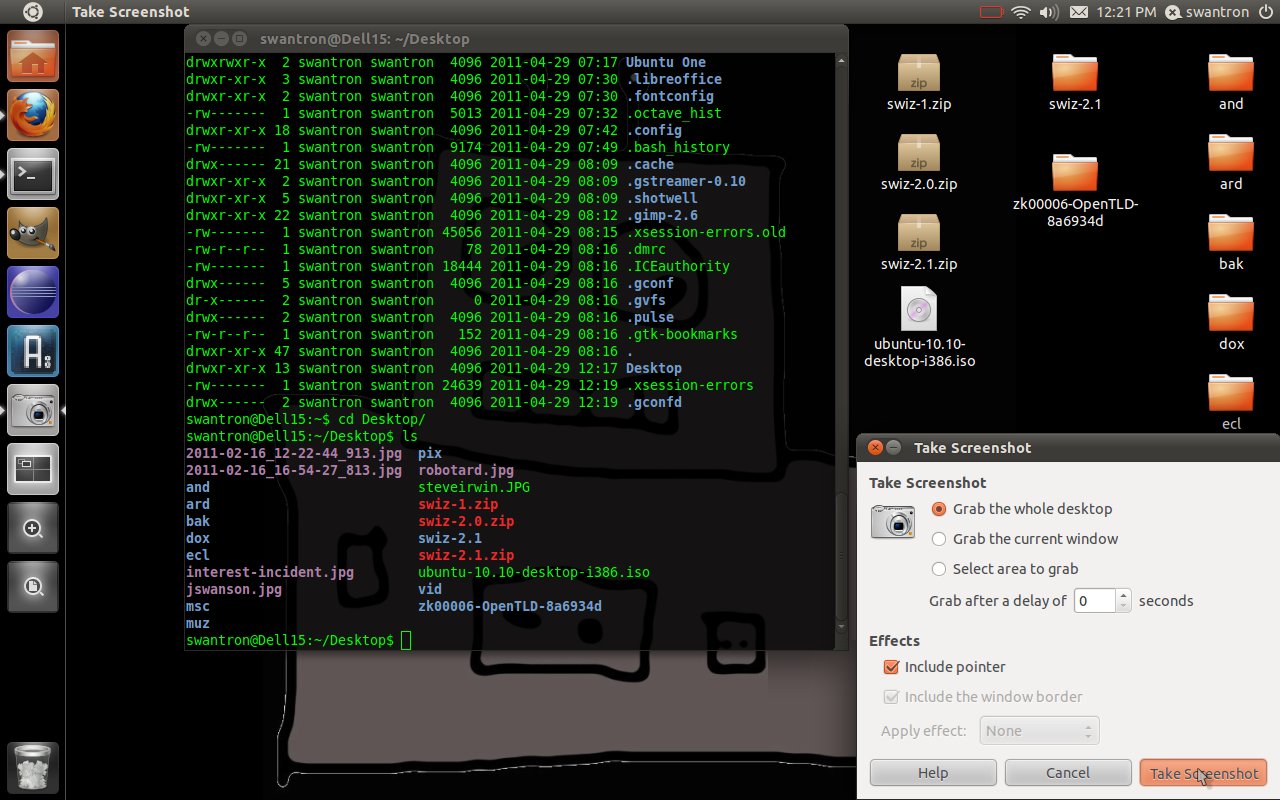 The good news is that like Leopard, Narwhal is usable. The same cannot be said for Ubuntu’s first foray into this new territory with Unity. Their last attempt was in 10.10 Netbook Edition, which was horrible to say the least. The UI was attempting to mix desktop features with mobile phone-like buttons, and it was a joke. Pretty much junk…I reverted my Mini 9 to the 10.10 Desktop Edition, and jumped back on the Gnome bandwagon. Well, to their credit, Ubuntu has polished the thing up. From what I can gather, Unity sits over Compiz…sort of like a plugin. I snagged the Compiz configuration tool via a CLI and messed around with the settings. The snap-to-side function that came stock with this was a pain in my ass, so I reverted it to my beloved ‘wobble windows’ It was sort of odd to have the options bar integrated with the top bar at first, but when I change gears and use multiple windows, I am liking the move. The window switcher function pans out and shows you four workspaces…see below (click to enlarge)
 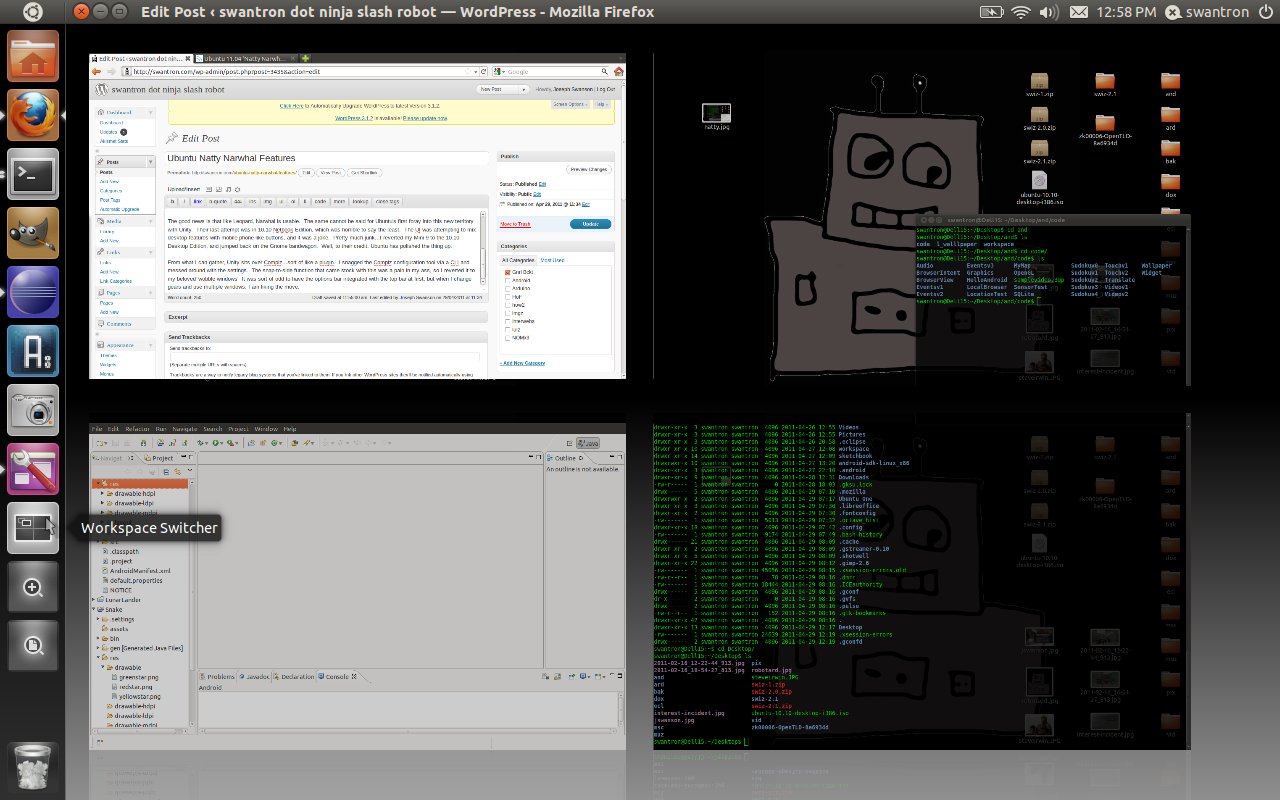 So basically, I am writing this post in one area, have Eclipse up in another, and have two CLI sessions live in their own spots. With the integrated file bar, the Gimp is far less cluttered…which is awesome. The taskbar slider function is a bit spotty still. I have taken Compiz down running my Arduino IDE (trying to set a temp file up as a taskbar item…it puked) but now have it configured and snappy. I would chalk that up to a training issue, rather than a show stopper. At the end of the day, I give it a surprisingly positive review. I was very satisfied with the last few long term support versions of Ubuntu, and hesitant to make the switch after the whole fiasco with Unity last time. You can switch back to Gnome, but I have no plans on doing so. Pros:* Linux distro. Give me terminal or give me death. * Firefox 4. Much improved. * Update manager. Keeps me current without much hassle. * Interesting UI. Make sure you download the Compiz manager to tweak things. * Free.99. Can’t beat the price Cons:* Ubuntu’s slant. Not bad, but they are steering us toward their cloud services and apps. * Not Linux-y. Feels like a Win7/OSX hybrid at times. * Rushed to market. Unity is in need of some refinement. At the end of the day, I am sticking with this distro. It will only improve. When the new Gnome drops, I’ll make the call as where to head, but this is it for the time being.
You’re Killing Me Smalls
1997 called…they want their dial-up back. 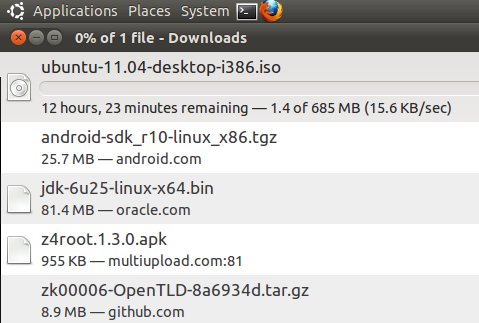 Looks like someone pissed off the network admins at work. I would find this really funny, if I were not excited to try Ubuntu 11.04 in a VM. Cancel. I’ll try this at home later. Expect a review of Natty soon.
The Salsa Incident 2
Having automated junk is awesome, for the most part. One drawback became glaringly evident recently, as I was enjoying some salsa in the lab.
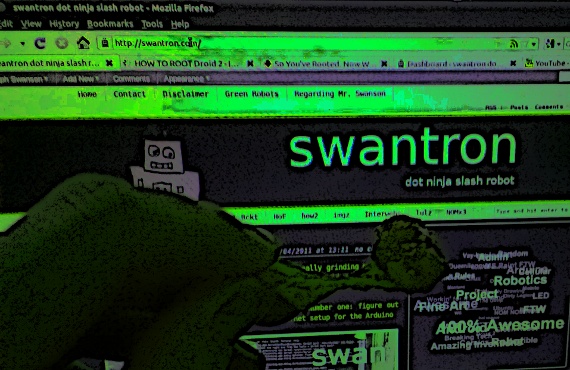
Right on the goddamned floor.
I have a pretty good idea for my next project: salsa-eating sonar detection bypass switch.
Projects in Flight
I have two projects running right now…both are really grinding my gears. Colloquially speaking. You know what? That is a stupid term. Scratch that. I have two problems that I am trying to solve. Number one: figure out how to assign a dynamic IP address to my ethernet setup for the Arduino 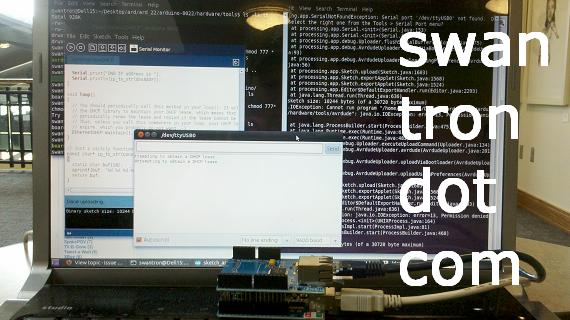 Getting old. I need to figure this out in a hurry, as it will open up a whole range of project possibilities. I have been tempted to throw in the towel on this thing and go at it through the Android, but think I need to grind through this on principle. We’ll give it another few hours. Project two involves an image recognition algorithm. I am trying to port a Windows/Matlab proof of concept over to Debial/Octave. This has been my real time-suck…having issues with libraries. I’ll likely dump several more lunch hours into this guy…could be very cool if I can get it running. Pics once I get something aside from a command line to post. Stay tuned.
DIY Minority Report
Spoiler1: This is awesome. Spoiler2: I’ve never seen Minority Report.
I do know that there is some sort of hands free interface, and that is what I have put together.
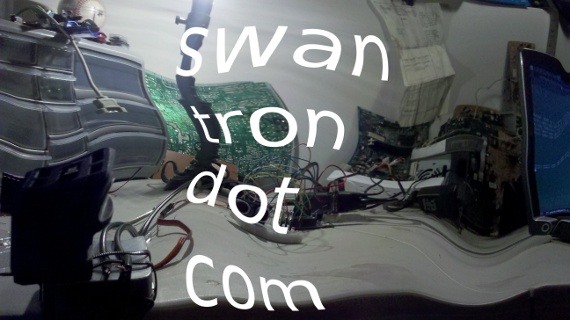
Long story short, I have extended upon my PING))) project to include some sweet touchless home automation. I have the ultrasonic sensor interfacing with my garage door and a lamp, utilizing a servo and a PowerSwitch Tail, respectively.
Video contains a rare thumbs up from the author
Snippet? Oh, INDEED…
//DIY Minority Report

// Joseph Swanson | 2011
// https://swantron.com

// Setup
// LEDs connected to pins 11, 2-5
// Ping))) sensor signal to pin 7
// Servo signal to pin 10
// PowerSwitch Tail to pin 13
// Ping))) +, servo + to 5V
// Ground the shit out of everything

#include <Servo.h>

Servo myservo;

int pos = 0;

// Pin assignment
const int ledPin1 =  11;
const int ledPin2 =  2;
const int ledPin3 =  3;
const int ledPin4 =  4;
const int ledPin5 =  5;
const int pingPin =  7;
const int lampPin = 13;

// Create variables to store LED states / lamp state
int ledState1 = LOW;
int ledState2 = LOW;
int ledState3 = LOW;
int ledState4 = LOW;
int ledState5 = LOW;
int lampState = LOW;
void setup() {

// Servo pin definition
myservo.attach(10);

//Define pins 1-5, lamp pin as output
pinMode(ledPin1, OUTPUT);
pinMode(ledPin2, OUTPUT);
pinMode(ledPin3, OUTPUT);
pinMode(ledPin4, OUTPUT);
pinMode(ledPin5, OUTPUT);
pinMode(lampPin, OUTPUT);
}
void loop()
{
// Reset LEDs levels to low to begin loop
  ledState1 = LOW;
  ledState2 = LOW;
  ledState3 = LOW;
  ledState4 = LOW;
  ledState5 = LOW;
// Reset Servo position to initial location
  pos = 0;

// Set duration variable
  long duration, cm;

// Loop section for ping signal pin...start as output
  pinMode(pingPin, OUTPUT);
  digitalWrite(pingPin, LOW);
  delayMicroseconds(2);
  digitalWrite(pingPin, HIGH);
  delayMicroseconds(5);
  digitalWrite(pingPin, LOW);

// Listen with same pin
  pinMode(pingPin, INPUT);
  duration = pulseIn(pingPin, HIGH);

// Convert time to a distance
  cm = microsecondsToCentimeters(duration);

// Configure this for LED sensitivity
  delay(100);

// March through cm values...set levels where appropriate
  if (cm < 95) {
    ledState1 = HIGH;}

  if (cm < 60) {
    ledState2 = HIGH;}

  if (cm < 40) {
    ledState3 = HIGH;}

  if (cm < 25) {
    ledState4 = HIGH;}

  if (cm < 10) {
    ledState5 = HIGH;}

  if (cm < 40 && cm >= 30 ) {
    lampState = HIGH;}

  if (cm < 25 && cm >= 15 ) {
    lampState = LOW; }

  if (cm < 10) {
    pos =( pos + 14 ); }

// fire all LED values...fire servo...fire lamp
    digitalWrite(ledPin1, ledState1);
    digitalWrite(ledPin2, ledState2);
    digitalWrite(ledPin3, ledState3);
    digitalWrite(ledPin4, ledState4);
    digitalWrite(ledPin5, ledState5);
    digitalWrite(lampPin, lampState);
    myservo.write(pos);

  delay(100);

}
long microsecondsToCentimeters(long microseconds)
{
  // 340 meters per second...do some math
  return microseconds / 29 / 2;
}
As the code implies, I have set this thing up to look for pings in particular regions. The LEDs indicate where I am at, and the rest sort of plays out from there. The lamp is set up as a switch, with ON and OFF having separate regions. The servo/g-door opener is a simple ON when the region is occupied…similar to my previous setup.
Pretty flipping sweet. As usual, send any feedback my way. This is still in the proof-of-concept mode, and will likely get scrapped for parts soon. Not to mention, Katie will probably want to be able to use the garage door opener, which I disconnected to string that wire that I have running manually to the servo. Be prompt.
Seiko Solar Watches
I will fully admit that a product that includes ‘solar’ in its name already has my attention. One of my ‘hindsight being what it is’ items involves biting the bullet, being broke, and going full on physics mode after undergrad. Montana State has a great solar physics department…could have been super nerdy. Next level nerd-dom. I guess I’m sort of trapped in this level nerd-dom. Still, solar perks up my ears. This product, then, already has my focus… 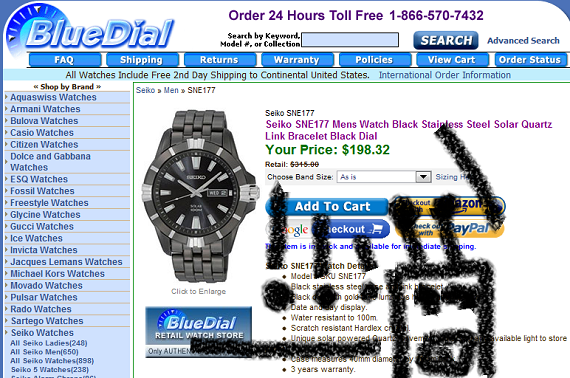 That watch, my friends, is a genuine Seiko SNE177 Mens Watch Black Stainless Steel Solar Quartz Link Bracelet Black Dial watch. I have been checking out Seikos for a while, and really like the look of the Seiko Solar Watches. Very cool. Bluedial has the Seiko SNE177 or a hundred and sixteen bucks (and some change) less than the retail value, which is a bonus. A bonus too would be the spec sheet to this device…good to 100m pressures and the whole works. Not too shabby. The time fight between watches and cell phones is still in full force. Watches are going strong still, due in large part to units like the Seiko Solar line. Stylish and practical…the colloquial double threat. I’ll keep you posted if I come across some geekier watch lines. Solar takes the early cake…
Garage Door Hack
Introducing Open-er-o-matic 3000. OOM3K. My finest project to date. I have my Arduino poking around with a PING))) sensor, a servo, some LEDs, and best of all…my garage door opener. End result: some Star Trek-ass shit. 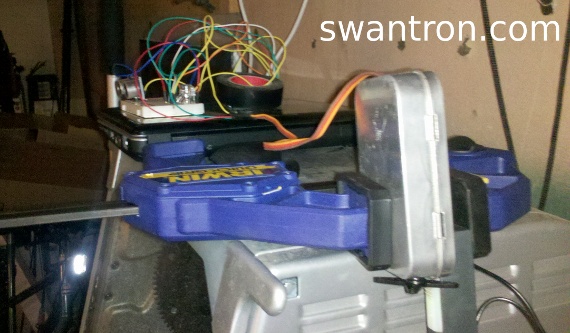 Check this footage of the OOM3K in action. Here, I had it configured to open the door when the ultrasonic sensor echoes off of something within 8 cm…
Not only is this thing awesome, but you can get all sorts of clear looks at my trusty Ronco Showtime rotisserie oven. Yard bird is a big hit at the old Swanson place.
There is not much to this code…I built it on top of the LED binary project code. Prepare for a bitchin’ snippet.
//Open-er-o-matic 3000

// Joseph Swanson | 2011
// https://swantron.com

// Setup
// LEDs connected to pins 11, 2-5
// Ping))) sensor signal to pin 7
// Servo signal to pin 10
// Ping))) +, servo + to 5V
// Ground the shit out of everything

#include <Servo.h>

Servo myservo;

int pos = 0;

// Pin assignment
const int ledPin1 =  11;
const int ledPin2 =  2;
const int ledPin3 =  3;
const int ledPin4 =  4;
const int ledPin5 =  5;
const int pingPin = 7;

// Create variables to store LED states
int ledState1 = LOW;
int ledState2 = LOW;
int ledState3 = LOW;
int ledState4 = LOW;
int ledState5 = LOW;

void setup() {

myservo.attach(10);

//Define pins 1-5 as output
pinMode(ledPin1, OUTPUT);
pinMode(ledPin2, OUTPUT);
pinMode(ledPin3, OUTPUT);
pinMode(ledPin4, OUTPUT);
pinMode(ledPin5, OUTPUT);
}
void loop()
{
 // Reset LEDs levels to low to begin loop
  ledState1 = LOW;
  ledState2 = LOW;
  ledState3 = LOW;
  ledState4 = LOW;
  ledState5 = LOW;
  pos = 0;

// Set duration variable
  long duration, inches, cm;

// Loop section for ping signal pin...start as output
  pinMode(pingPin, OUTPUT);
  digitalWrite(pingPin, LOW);
  delayMicroseconds(2);
  digitalWrite(pingPin, HIGH);
  delayMicroseconds(5);
  digitalWrite(pingPin, LOW);

// Listen with same pin
  pinMode(pingPin, INPUT);
  duration = pulseIn(pingPin, HIGH);

// Convert time to a distance
  inches = microsecondsToInches(duration);
  cm = microsecondsToCentimeters(duration);

// Configure this for LED sensitivity
  delay(500);

// March through cm values...output LEDs an servo
  if (cm < 80) {
    ledState1 = HIGH;}

  if (cm < 64) {
    ledState2 = HIGH;}

  if (cm < 48) {
    ledState3 = HIGH;}

  if (cm < 32) {
    ledState4 = HIGH;}

  if (cm < 16) {
    ledState5 = HIGH; }

  if (cm < 16) {
    pos =( pos + 14 ); }

// fire all LED values...fire servo
    digitalWrite(ledPin1, ledState1);
    digitalWrite(ledPin2, ledState2);
    digitalWrite(ledPin3, ledState3);
    digitalWrite(ledPin4, ledState4);
    digitalWrite(ledPin5, ledState5);
    myservo.write(pos);

  delay(100);

}
long microsecondsToInches(long microseconds)
{
  // 1130 feet per second...transofrm inches
  return microseconds / 74 / 2;
}
long microsecondsToCentimeters(long microseconds)
{
  // 340 meters per second...transform cm
  return microseconds / 29 / 2;
}
I hope you enjoyed this one. I had a fun time with this piece of crap. Plus, it has given me some ideas of how to extend this setup into something more refined. Spoiler: more awesome.
Ultrasonic Distance Sensing
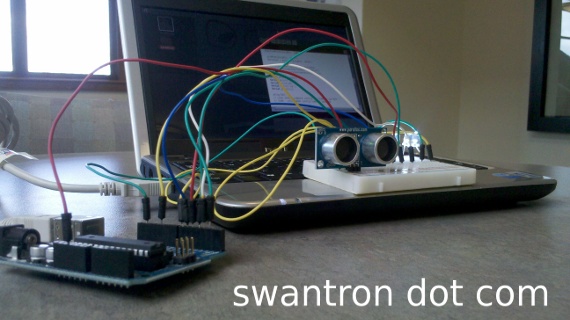
I really should have a running list of these mini-projects I have been cranking out. This one: using a PING))) sensor from Parallax Inc to drive LEDs for a set of values. Sounds boring, but it is sort of cool. Oh cool.
Picture time:
Video time:
Snippet time:
//Ping LED Levels

// Joseph Swanson | 2011
// https://swantron.com

// Setup
// LEDs connected to pins 11, 2-6
// Ping))) sensor signal to pin 7
// Ping))) + to 5V, - to ground

// Pin assignment
const int ledPin1 =  11;
const int ledPin2 =  2;
const int ledPin3 =  3;
const int ledPin4 =  4;
const int ledPin5 =  5;
const int ledPin6 =  6;

const int pingPin = 7;

// Create variables to store LED states
int ledState1 = LOW;
int ledState2 = LOW;
int ledState3 = LOW;
int ledState4 = LOW;
int ledState5 = LOW;
int ledState6 = LOW;


void setup() {

// Start serial

  Serial.begin(9600);

//Define pins 1-6 as output
  pinMode(ledPin1, OUTPUT);
  pinMode(ledPin2, OUTPUT);
  pinMode(ledPin3, OUTPUT);
  pinMode(ledPin4, OUTPUT);
  pinMode(ledPin5, OUTPUT);
  pinMode(ledPin6, OUTPUT);


}
void loop()
{


// Reset LEDs levels to low to begin loop

 ledState1 = LOW;
 ledState2 = LOW;
 ledState3 = LOW;
 ledState4 = LOW;
 ledState5 = LOW;
 ledState6 = LOW;

// Set duration variable

 long duration, inches, cm;

// Loop section for ping signal pin...start as output
  pinMode(pingPin, OUTPUT);
  digitalWrite(pingPin, LOW);
  delayMicroseconds(2);
  digitalWrite(pingPin, HIGH);
  delayMicroseconds(5);
  digitalWrite(pingPin, LOW);

// Listen with same pin
   pinMode(pingPin, INPUT);
   duration = pulseIn(pingPin, HIGH);

// Converttime to a distance

  inches = microsecondsToInches(duration);
  cm = microsecondsToCentimeters(duration);

// Write to serial out
  Serial.print(inches);
  Serial.print("in, ");
  Serial.print(cm);
  Serial.print("cm");
  Serial.println();

// Configure this for fine tuning... 50 is noisy
  delay(75);

// March through cm values...output
  if (cm < 128) {

      ledState1 = HIGH;}


  if (cm < 64) {

      ledState2 = HIGH;}


  if (cm < 32) {

      ledState3 = HIGH;}


  if (cm < 16) {

      ledState4 = HIGH;}


  if (cm < 8) {


      ledState5 = HIGH; }


  if (cm < 4) {

      ledState6 = HIGH;}


// fire all LED values
    digitalWrite(ledPin1, ledState1);
    digitalWrite(ledPin2, ledState2);
    digitalWrite(ledPin3, ledState3);
    digitalWrite(ledPin4, ledState4);
    digitalWrite(ledPin5, ledState5);
    digitalWrite(ledPin6, ledState6);

}
long microsecondsToInches(long microseconds)
{
  // 1130 feet per second...transofrm inches

  return microseconds / 74 / 2;
}

long microsecondsToCentimeters(long microseconds)
{
  // 340 meters per second...transform cm
  return microseconds / 29 / 2;
}
Synopsis time:
The code fires the ultrasonic sensor via a digital pin, listens via the same pin, does a little math to transform times to distances using the speed of sound, takes the distances and writes to various LEDs depending upon the value returned.
Think of the backup collision sensors that ship with many new vehicles…same deal. Instead of firing a speaker, I have fired 6 lights instead…more accurate, FTW!
I sort of want to mount this bad boy on my Trail-90. Or my Yukon…that would be ghetto goddamn fabulous. For real.
Thanks for reading. Happy Tuesday.
New Prozac Lawsuit
It seems like the interwebs is full of info regarding a prozac lawsuit of some sort. If you don’t believe me, let Google auto-complete “Prozac Lawsu..” and see for yourself…sites are popping up like whack-a-mole moles. Spoiler: they pop up incessantly. Pause for Prozac-bot:  So, what’s up with that? Birth defects. That is what is up with that. There has been a recall of certain antidepressants and anti-seizure drugs, of which Prozac has been included. Joking aside, some of these things, when taken by women during pregnancy may cause increased risks of serious congenital birth defects, heart defects, spina bifida, club feet, and even cleft palates. Scary stuff. If you fit the bill, hit that link at the top of this post. Good luck.
Ping Sensor Project Preview
Parallax Ping))) sensor in the house. Literally. 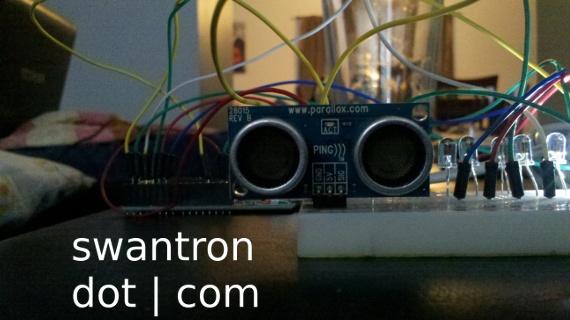 This dapper-looking little guy can accurately measure distance from a few to a few hundred cm. It is very simple by design…basically just a sonar setup. My sketch sends out a signal and listens for the signal’s signature upon return…calculates time elapsed and interpolates distance using the approximate speed of sound. Slick like Rick. I hugged the sensor on my binary-project-having breadboard, as this is going to be incorporated in some way. My fr1st thought is to turn those LEDs into range holders, and output according to range. Could be awesome. Stay tuned.