One more use for my beloved Honda… 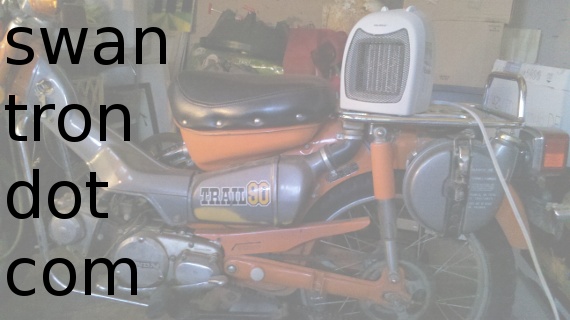 …keeping my ’lab’ functional in darkest winter. I am very ready for Spring, but am still cranking out some projects. With marginal success. See above; see below.
These Pretzels Are Making Me Thirsty
 Six pounder. Who needs paper? Not I.
Arduino Solar Cell Night Light Concept
So, I’ve formalized the solar cell project I have been poking at for a while. I managed to clean up my code and mess with some initial conditions, etc., and now have a fairly solid proof of concept for a solar cell-centered night light. 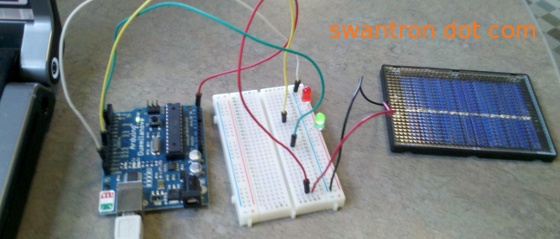 As was the case in my first few runs, my sketch incorporates a five second initialization phase. This acts to set both relative minimum and maximum values which act to provide “full light on” and “full light off” values, respectively. The generated power from the solar cell is read in to the Arduino via analog input, and the LEDs are driven via digital outs. The rest is some simple math that transforms the range of the analog signal into a digital range of zero to two hundo fifty five. It’s giant-ass-text-having snippet time!
// Solar LED IO // Joseph Swanson | https://swantron.com // 2011 // Define constants const int sensorPin = A3; // Solar cell Pin const int ledPin = 5; // varuiable LED Pin // Define variables int sensorValue = 0; // wipe read value int sensorMin = 0; // set initial min int sensorMax = 1023; // set initial max void setup() { // turn on Pin 11 LED…indicates calibration period begin pinMode(11, OUTPUT); digitalWrite(11, HIGH); // stay lit for five seconds while (millis() < 5000) { sensorValue = analogRead(sensorPin); // adjust for real max if (sensorValue < sensorMax) { sensorMax = sensorValue; } // adjust for real min if (sensorValue > sensorMin) { sensorMin = sensorValue; } } // end Pin 11… calibration period finito digitalWrite(11, LOW); } void loop() { // read the solar cell analog sensorValue = analogRead(sensorPin); // apply a little calibration to the sensor reading // bit from example sketch at http://arduino.cc sensorValue = map(sensorValue, sensorMin, sensorMax, 0, 255); // set constraint for outliers with respect to min/max sensorValue = constrain(sensorValue, 0, 255); // fade the LED from one to 255 analogWrite(ledPin, sensorValue); } Pretty straight forward. On to the vid… It’s web2.0-too-many-script-ass-calling embedded video time!Not too bad. Again, I used an Arduino Duemilanove and a Solar World panel. I might try to further this concept by incorporating my 120V switch and getting a lamp up in here. Stay tuned, as always.
Time Wars…Watch vs Cell Phone
If you would have asked me a year ago if I thought there was a need to wear a watch, I would have told you no. More specifically, I would have told you, “why would a person purchase a watch, when it is pretty much a given that there is a cell phone in the pocket of said buyer?” I would have had a valid point. Well, I can give you two reasons. Reason number one: fashion. Yawn. Not my style. Reason number two: cell phone might die. Yawn. My BlackBerry lasts forever. Flash forward to right now…I wear a wedding ring and have a phone that lasts about four hours on a charge. I need a watch. If I was to head out watch shopping right now, there is no doubt that I would buy a Invicta subaqua watch. Without a doubt, the coolest looking watch I have seen to date: 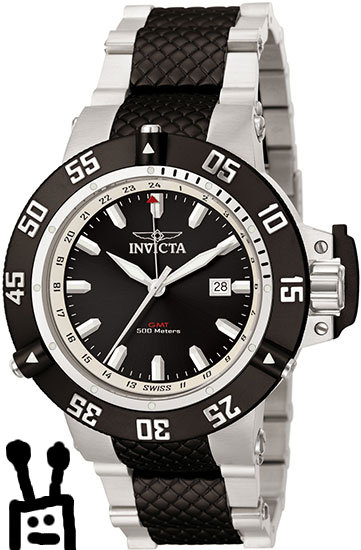 In all honesty, that thing is sweet. I really dig black and silver…cite my SS as evidence. Clean, subtle, and sophisticated. Not to mention the whole sub-aqua thing. Pretty much can’t kill this thing. So, if I am to make a move to be on time, where should I look to buy my beloved Invicta subaqua? Easy. Blue Dial. Check out this price.
 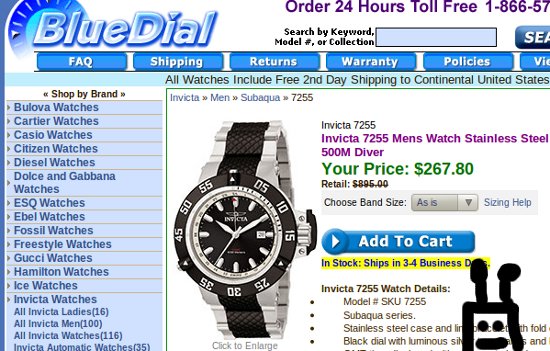 Two hundred, sixty seven…down from nearly nine hundo. Beat that, I dare you. Hit that link, see for yourself. Great watches at greater prices…while you do that, I’m going to put my Droid 2 back on the flipping charger. It has been three hours.
Military Watch Technology
I spend all day staring at screens. Be them my work monitors, (also know as “the twin twenties”) or the hi def screen on my mobile phone, (Droid 2, also know as “the D2”) I have screens all over the place. When I get home, I have two large flat screen televisions and a bunch of laptop computers. Honestly, screens everywhere. A side effect of swimming in screens is immediate access to the time. Work computer…time in the bottom left. Debian laptops? Time on the upper right. I have my netbook saving vertical space, so the time on that guy displays in the lower right. My droid spits out time all over the place…TVs are the same with the touch of one button. Everywhere I am, there it is. Has technology rendered watches useless? No way. Watches are awesome.  There are a few different routes you could take with something like this. You could buy a stylish watch, or a watch that will serve a purpose of some sort. Or, you could grab something like this: (my new favorite, FWIW)
 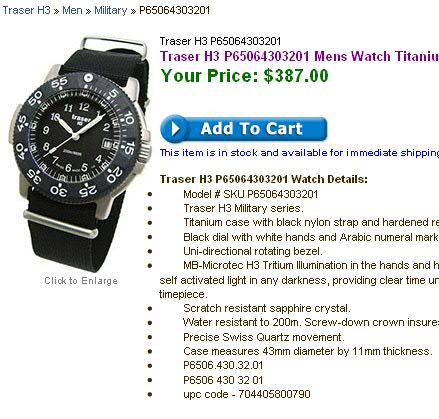 I am digging Military Watches right now…good engineering, nice style. Like the one pictured above. The Tracer H3 is a serious machine. MB-Microtec H3 Tritium Illumination. For sure. That is not messing around. I am very impressed by the 200 meter capability of this watch. Very cool. Hit that link to see for yourself…that site has some awesome watches…good prices too.
Mad Solder Skillz
Some time ago, I snagged a robotics kit from Amazon. A few weeks after said time, I assembled the mechanical components of said kit. I assumed that the electrical assembly would be equally as detail-centric. I was quite wrong. 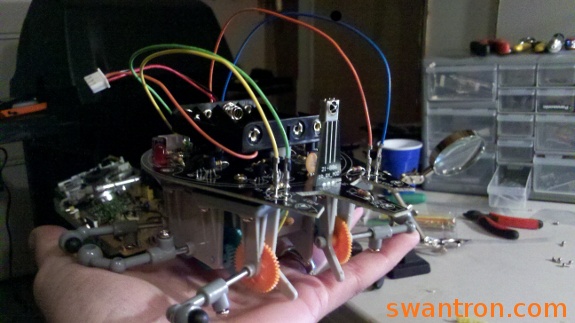 It was a son-of-a-bitch. Plus, I had a snaffu with the IR emitters, which are more than likely the same price as the microcontroller that is involved with this kit. Good President’s Day? You better believe it…so much fun horsing around with new connections, crappy directions, and a semi-success. Off to The Shack (Radio Shack’s awesome new advert front) to complete the project tomorrow at lunch, if all goes well. My motors are working, and all three emitters are pushing power, which indicates a solid-ass project as far as connectivity is concerned. Close, but no cigar. Maybe I’ll show off that cigar tomorrow.
Arduino Solar Cell-Based Detector
*Proof of Concept Warning*-*Proof of Concept Warning*-*Proof of Concept Warning* Mission: Utilize a solar cell to vary the intensity of an LED Supplies: Arduino Duemilanove <–> USB <–> Notebook (Linux, por supuesto) Breadboard, Jumper Wires, Make-shift Jumper Wires (spare resisters), LEDs, Solar Cell Setup: Here it is 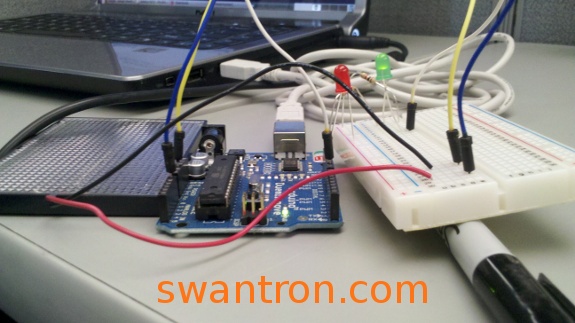 The setup is pretty straight forward: Read analog, write digital. The primary hurdle was figuring out the initialization step. Basically, I needed to provide a time-frame where you can read in minimum / maximum values from the cell. The LEDs in the awesome video below show the results… v This project is full of take-off ideas. Reverse the range on the LED outputs, and you have a setup that powers up a light as the ambient light levels fall. Motion detector…you bet. You could implement a setup to run the initialization cycle at intervals, to provide a real-time average light level, and check for a delta of some size. Boom. There you go. I’ll clean up the code, use some real jumpers, horse around with things in general, and throw up a post. With a snippet. Check back.
Solar Cell Teaser
+1 doing Arduino proofs of concept at work on lunch break 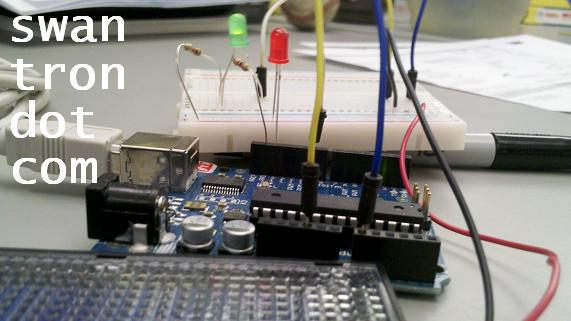 I packed a solar cell and a little breadboard to work today…put together a little sketch together over my lunch break to control LED brightness with solar cell analog readings. I shot a little vid that I will toss on YouTube. Expect a full write-up soon. You suckers might even get a snippet…
Let’s Talk Toner
Where do you buy your toner? From a brick and mortar toner store? Get with the times… 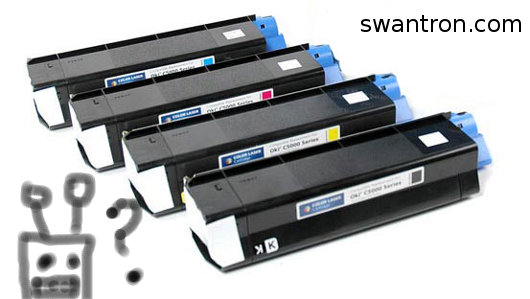 As with pretty much anything tech-based, the only practical way to buy toner cartridges these days is to buy them online. Not only do you save yourself a trip to the store, but a little shopping around will get you a far better price than heading down to the neighbourhood Staples to grab some toner.
Toner Tips
For the best toner selection, shop online For the best toner price, shop online For the best toner time savings, shop online If I would have heeded my own advice, I would not be writing toner articles to keep the lights on. But, lo and behold, I am. For the loss. Regardless, hit that hyperlink and buy some toner. When all things are said and done, it is, in fact, far cheaper to buy this stuff online than in a store. It is the same racket as HDMI cables…fairly certain that a 8-foot HDMI doesn’t cost thirty bucks to produce. But, I digress…
Woops
Nuked that LED from space… 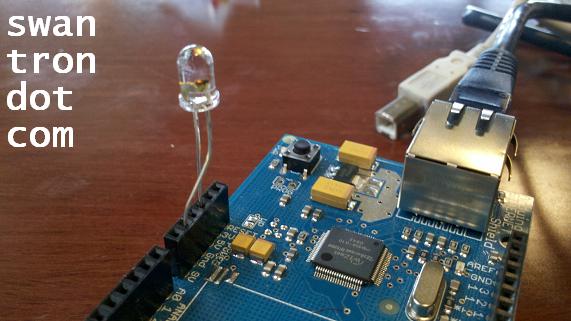 In my ongoing fight with my Ethernet Shield, I had a bright idea that the sucker might have some bad jumpers. Welp, I put together a little blinking LED code and let it rip…which worked. I then tried to run the LED through the 3V lead…but…plugged the bastard into the 5V slot. Fire and brimstone. Long story short, the board is getting power, the jumpers are fine, and that sweet clear LED is toast.