Last week found me standing tall upon my shell script soapbox, shouting command line praises to all who would listen.
Thou ought direct thine output aftways, to-wards thine USB port of thee. And that is well and righteous.
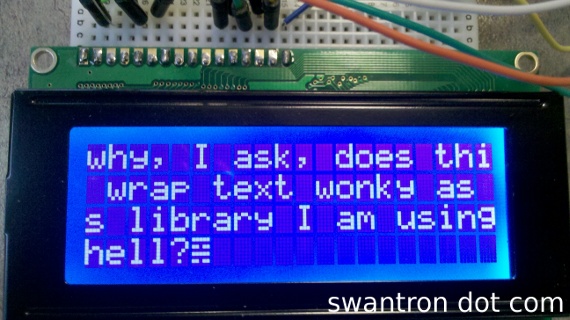
Well, that still is the case. My latest project has made it glaringly obvious that sometimes a little Python script will render a whole bunch of shell scripting moot. Namely, parsing HTML. Let’s see a picture…
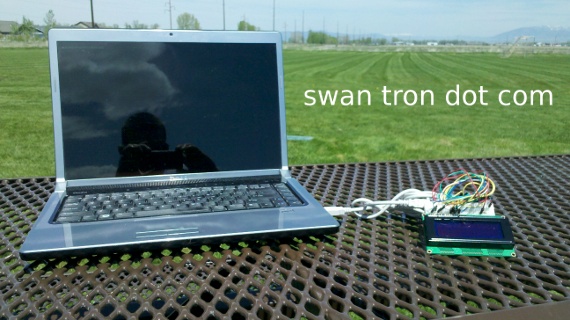
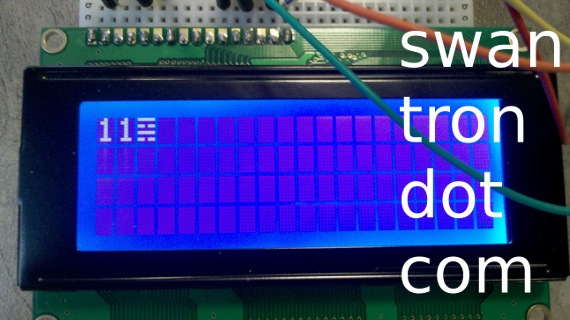
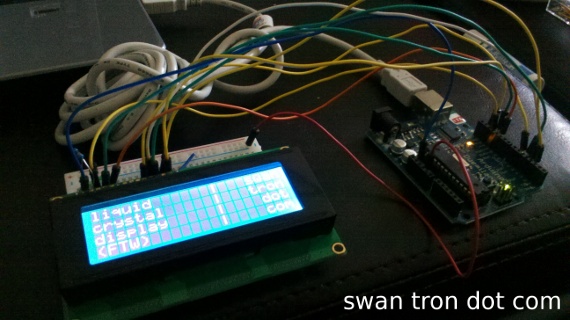
Lunch hour project: parse the comments from swantron.com; feed said comments to an LCD screen.
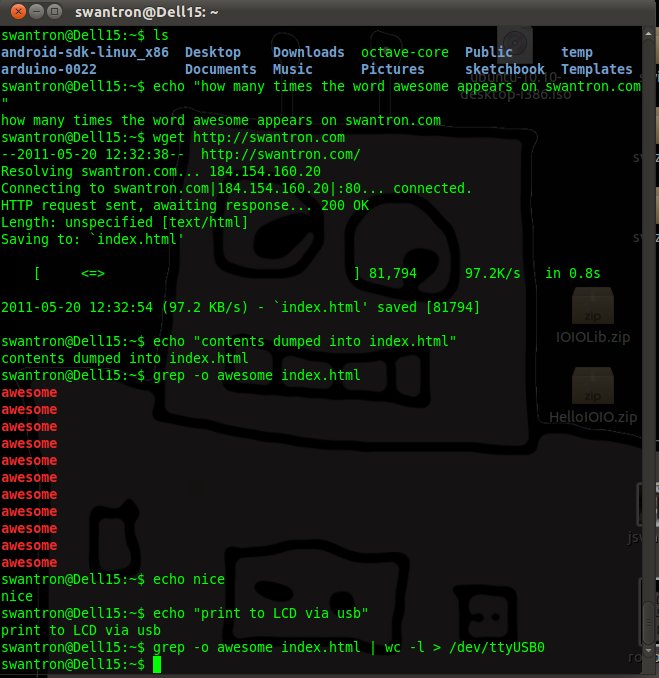
I was horsing around with wget from a CLI a few days ago. I found myself trying to smash through the resultant file via pure regular expressions…which is incredibly clumsy. Well, as luck would have it, my go-to after my main go-to is Python, and this type of thing has been issue enough to warrant a library. BeautifulSoup. It acts to parse the HTML info into items, that can be smashed around as I see(med) fit.
My setup was simple: py script to snag my comments and write serial, Arduino sketch to drive a LCD and read/write serial. And a source of shade. And a WiFi signal to snag.
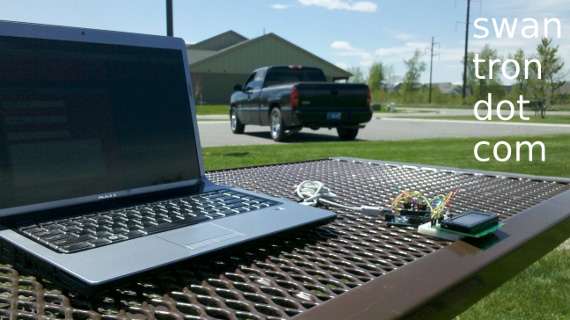
Check, check, check, etc. Video time:
Python parser / serial writer
#!/usr/bin/python
# https://swantron.com
# htlm grab / parse...
# ...write to serial out
# 2011

admin = [ 'Joseph Swanson' ]
total = True

import urllib2, time, serial, sys
from BeautifulSoup import BeautifulSoup

# disregard spammers | disregard identical posts | create spam zone

spam = []

# initialize serial write to Arduino

ser = serial.Serial('/dev/ttyUSB0', 9600)

time.sleep(5)

# work section

while True:

  # snag html

  html = urllib2.urlopen("https://swantron.com/comments/feed").read()

  # parse

  soup = BeautifulSoup(html)

  # inspect parsed results

  for item in soup('item'):
      badGuy = item('guid')[0].string.split('comment-')[1]

      if badGuy not in spam:

              # spammer jail

              spam.append(badGuy)

              # time modification

              postTime = item('pubdate')[0].string
              parsedTime = time.strptime(postTime, "%a, %d %b %Y %H:%M:%S +0000")
              offsetTime = time.mktime(parsedTime) - time.timezone
              localPostTime = time.strftime("%m/%d/%y %H:%M", time.localtime(offsetTime))

              # identify me

              author = item('dc:creator')[0].string
              if author in admin:
                  print "(" + localPostTime + ") I, " + author + ", just posted a comment"
                  print "    " + item('guid')[0].string
                  print "    " + item('description')[0].string
                  ser.write(item('description')[0].string)
              time.sleep(1)
              elif total:
                  print "(" + localPostTime + ") background noise ~~ " + author
                  print "    " + item('guid')[0].string
                  print "    " + item('description')[0].string
                  ser.write(item('description')[0].string)


  time.sleep(10)
Arduino LCD driver
// LCD Driver
// https://swantron.com
// basic serial in > LCD display
// 2011

#include <LiquidCrystal.h>

// **Define pins**
// LCD RS - pin 12
// LCD R/W - pin 11
// LCD ENABLE - pin 10
// LCD BACK+ - pin 13
// LCD DATA4 - pin 5
// LCD DATA5 - pin 4
// LCD DATA6 - pin 3
// LCD DATA7 - pin 2
// LCD VSS, CONTRAST,  BACK- - ground

LiquidCrystal lcd(12, 11, 10, 5, 4, 3, 2);

int backLight = 13;    // Define pin for backlight

void setup()
{
  pinMode(backLight, OUTPUT);
  digitalWrite(backLight, HIGH); // Backlight level (LOW / HIGH)
  lcd.begin(20,4);               // (Columns, Rows)
  Serial.begin(9600);
}

void loop()
{
  // when characters arrive over the serial port...
  if (Serial.available()) {
    // wait a bit for the entire message to arrive
    delay(100);
    // clear the screen
    lcd.clear();
    // read all the available characters
    while (Serial.available() > 0) {
      // display each character to the LCD
      lcd.write(Serial.read());
    }
  }
}
I’m excited about this project. Even though this deal is in gen 3, I still have some crazy take-off ideas. Create a secure page on swantron to hold a few values…hook up my old notebook as a base station…home automation on the cheap. Replace that LCD with a sketch to search for a particular string, i.e. “open garage door” and boom, there you go. This could be very cool. Introduce twitter to remove my server from the equation…awesome.
Hit the comments with any improvements or project ideas you can conjure. This one has me excited…feel free to challenge me with something cool. As always, thanks for reading, yadda yadda, stay tuned, etc.
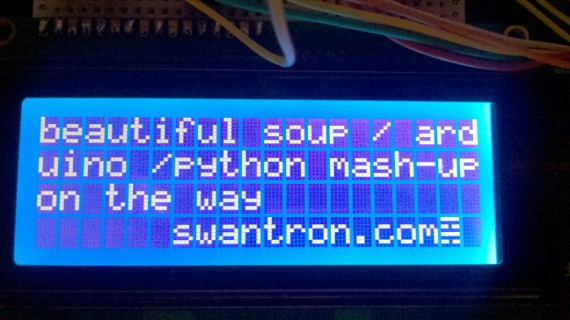 Thus far, I have python doing the website getting and Beautiful Soup doing the parsing of my site…basically just grabbing some info at this point that I can modify. I have my LCD driven via my trusty Arduino, and that is that. Instead of redirecting standard out to serial, I am writing to serial via python. Easy breezy. I have some sloppy sloppy code at this point, and need to add some hardware and stuffs to my prototype. Stay tuned…this could be a good one.
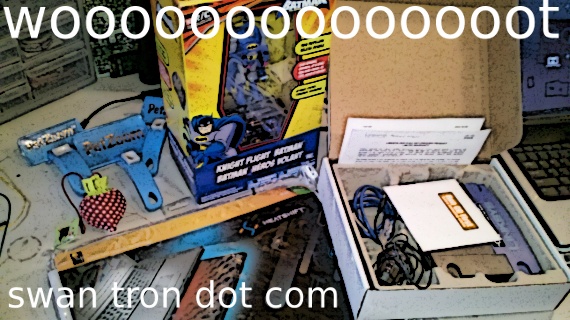 I got excited and made an un-boxing vid. Apparently, I get twitchy when I am excited. Probably why I interview like shit. Anyhow… So, my three dollar (eight with shipping) bag of crap yielded: * Passive laptop cooling pad * Refurbished DSL router * Strawberry that unfolds into a bag? * Remote controlled Batman helicopter * Three dog brushes Not bad at all; I’m chalking this up as a win.
 I jumped on the CT-90 after work and headed out to survey the situation. These pics were taken in Bozeman proper…on Church street North of Kagy.
  There have been some road closures further North, as the stream has been running over a few roadways. Coincidentally, both major breaches have been near culverts…one under Mendenhall and one under Kagy. Poor planning, city engineers. A few hundred yards down the road from the bridge, I popped into my sister’s old condo complex. I have seen some sandbagging there in the past.
  A for effort, guys. Take the grade into consideration next time. This thing is slated to crest next week….we’ll see what happens. Strange year for extreme weather, to say the least.
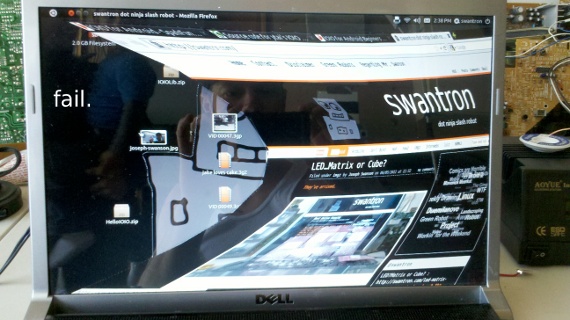 It appears that the workspace switcher and wobbly windows have some sort of issue with one another. I don’t see this when I use keyboard shortcuts, and I have been employing those nearly extensively to pop around. Super Key+S (Windows key / Apple key) to open the switcher…or bypassed with Ctrl+Alt+left or Ctrl+Alt+up for instance. It works slickly, once you spend some time poking around. I suppose it would be prudent for me to enter this bug into the Ubuntu QA system…I am not in the mood to search for duplicate tickets. I do that crap all day at work…enough is enough. Drop me a comment if you have seen this one in action. Or, if you have any workspace suggestions, send that over too.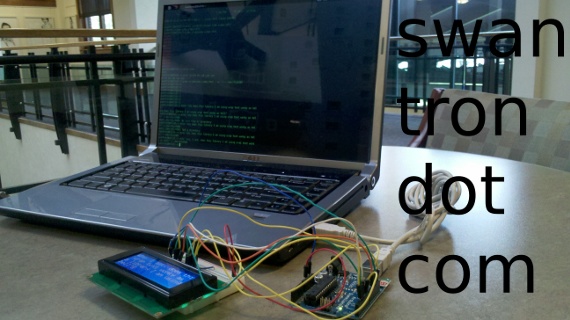
 It cools quicker. Bonus. My guilt was nuked from orbit today. I saw on
  Not to date myself, but online shopping was limited in my day. Amazon was around, but primarily for books. Specialty places were popping up…and then subsequently bursting when everything hit the colloquial fan. Comparative online shopping stuck, however. One of the things I am jealous of now are the deal pricing that you can find on
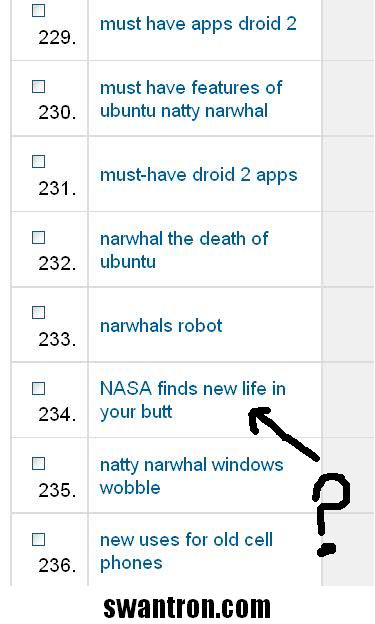 I sure hope that the searcher found what he or she was looking for. In your butt.