First green grass in the Swanson yard.  Bring it on. I’m ready to pull a rake.
Driving Multiple LEDs with an Arduino
I have had a bunch of white LEDs in my Amazon shopping cart for quite some time. I was tossing around the idea of doing a 5x5 cube a while ago, but ran out of steam on that project. I blame the PowerSwitch Tail…I had relays on the brain, big time. Still drafting out my big project on that front; stay tuned for some sweet garage door action. I rarely find my self with two projects in flight, that may actually turn into something, but I just might have stumbled back into the LED arena.
Long story short, I had my Arduino, Mini 9, some white LEDs, and exactly seven jumper wires in my backpack. I stepped upstairs at work for lunch, and decided to horse around with them…see what it takes to run multiple LEDs. Seems basic, and it is. Fortunately…
Here is he setup…
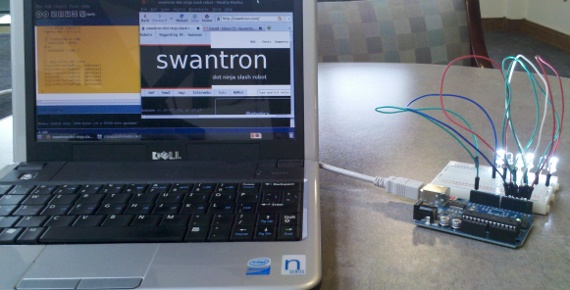
I put together a little sketch. I managed to grab the time-stamp notion from this sketch that is included with the IDE, and run with the rest of it. There will be snippet, but snippet will follow A SWEET VIDEO FTW
SNIPPET ALERT
//LED Sandbox

// Joseph Swanson | 2011
// https://swantron.com

// Setup... LEDs connected to digi 1-6, grounded

// Pin assignment
const int ledPin1 =  1;
const int ledPin2 =  2;
const int ledPin3 =  3;
const int ledPin4 =  4;
const int ledPin5 =  5;
const int ledPin6 =  6;

// Create variables to store LED states
int ledState1 = LOW;
int ledState2 = LOW;
int ledState3 = LOW;
int ledState4 = LOW;
int ledState5 = LOW;
int ledState6 = LOW;

// Create timestamp holder

long timeStore1 = 0;
long timeStore2 = 0;
long timeStore3 = 0;
long timeStore4 = 0;
long timeStore5 = 0;
long timeStore6 = 0;

// Configure interval for off/on
long interval1 = 600;
long interval2 = 800;
long interval3 = 1000;
long interval4 = 600;
long interval5 = 800;
long interval6 = 1000;

void setup() {

  //Define pins 1-6 as output
  pinMode(ledPin1, OUTPUT);
  pinMode(ledPin2, OUTPUT);
  pinMode(ledPin3, OUTPUT);
  pinMode(ledPin4, OUTPUT);
  pinMode(ledPin5, OUTPUT);
  pinMode(ledPin6, OUTPUT);

}

void loop()
{
  // Loop area...compare config for time to current
  // time...write when config time is reached
  if (millis() - timeStore1 > interval1) {
    // re-write timestore
    timeStore1 = millis();

    // if the LED is off turn it on and vice-versa:
    if (ledState1 == LOW)
      ledState1 = HIGH;
    else
      ledState1 = LOW;}

  if (millis() - timeStore2 > interval2) {
    // re-write timestore
    timeStore2 = millis();

    if (ledState2 == LOW)
      ledState2 = HIGH;
    else
      ledState2 = LOW; }

  if (millis() - timeStore3 > interval3) {
    // re-write timestore
    timeStore3 = millis();

    if (ledState3 == LOW)
      ledState3 = HIGH;
    else
      ledState3 = LOW; }

  if (millis() - timeStore4 > interval4) {
    // re-write timestore
    timeStore4 = millis();

    if (ledState4 == LOW)
      ledState4 = HIGH;
    else
      ledState4 = LOW; }

  if (millis() - timeStore5 > interval5) {
    // re-write timestore
    timeStore5 = millis();

    if (ledState5 == LOW)
      ledState5 = HIGH;
    else
      ledState5 = LOW; }

  if (millis() - timeStore6 > interval6) {
    // re-write timestore
    timeStore6 = millis();

    if (ledState6 == LOW)
      ledState6 = HIGH;
    else
      ledState6 = LOW; }


    // digi-write LED state
    digitalWrite(ledPin1, ledState1);
    digitalWrite(ledPin2, ledState2);
    digitalWrite(ledPin3, ledState3);
    digitalWrite(ledPin4, ledState4);
    digitalWrite(ledPin5, ledState5);
    digitalWrite(ledPin6, ledState6);

  }
So, I configured the times to have bulbs one and four blast at 6/10ths of a second, two and five to go at 8/10ths, and three and six to blink every second. Pretty boring, huh. The next plan is to bump that number to 8 LEDs and put together a little binary timer. Then learn how to drive multiple LEDs from the same pin. After that…who knows. I can do whatever I feel like doing, really.
Farmville for Dummies…Sounds about Right
I can question the location of this book, but find the title to be spot-on.  Zing. I think I won that round. Joe Swanson: 1 // Bozeman Barnes & Noble (and FarmVille) 0
Welp, I Sketched Another Robot
Haven’t done one of these in quite some time.  I’ll file this one with the rest. Happy Monday.
Best Online Shopping
As I am an expert on all things internet-y, it should come as no surprise that I am a proponent of online shopping. A staunch proponent, in fact. Don’t get me wrong…I am all about grocery shopping. One of my dream jobs is to work in a butcher shop; maybe I can make that happen when I retire from this code stuff. If I ever hit the lottery, it will be a tough call as to whether or not I drop of an application at Orange Julius or the Meat Shop. Time will tell. Anyway, back to the topic at hand. Tracking down items online. It really isn’t that hard. One of my daily rituals on the webs is to check the deals at Savings.com. For those not in the know, Savings is sort of a hybrid between Woot and Amazon. Good stuff.  Instead of offering a limited deal of the day, a la woot, or a selection that is somewhat static, a la Amazon, Savings.com is an aggregate of deals from all over the place. Mothers Day flowers…you bet. JCP and Target…you also bet. The cool part of this is being able to associate a store’s deal with what you need. Take my t-shirt wardrobe for instance. If J C Penny’s is having 25 percent off of men’s ware, I can snag those suckers for two bucks per unit. Not too bad, right. Hit that link up there to see what is available. Tell them Joe sent you.
Man Lamp
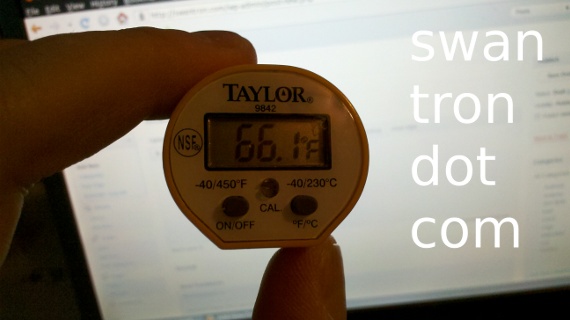
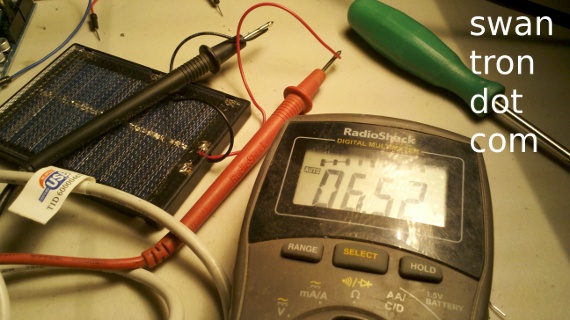
My light needs were not being met in the lab. Garage, lab, whatever. Anyhow, I picked up a halogen work light at the hardware store, thinking that the base dimensions and output would make for a perfect movable lab light source. This thing is a monster. Check this out. Reference voltage: 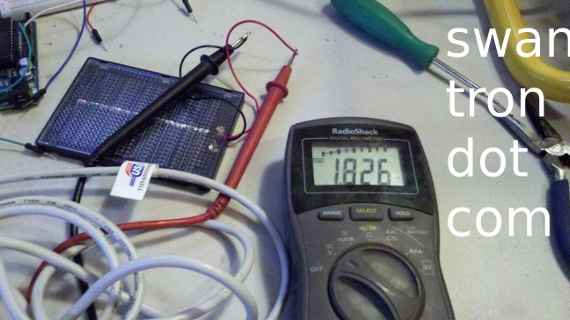 Reference tempurature
  Voltage with 40W light bulb:
 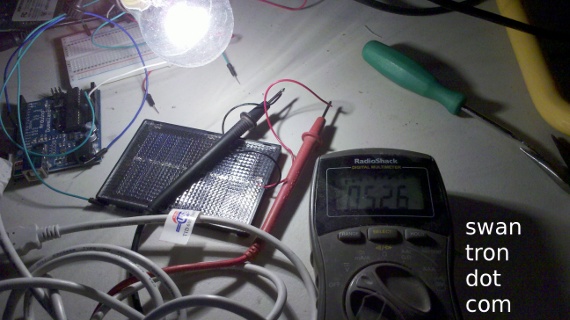 Voltage with Man-Lamp: (maxed out)
  Wait for it…wait for it…wait for it…TEMP NEAR MAN-LAMP
 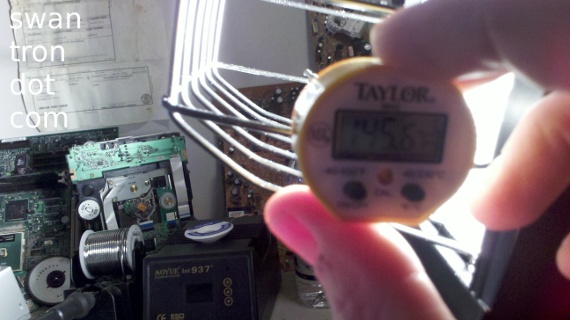 Incredible. I guess this could double as a goddamned heater. My digital thermo was still climbing at 145. FWIW, it is perfect for the lab. Just sort of confusing how brutish it is. Impressive.
Arduino Servo Fan Control
Before you try to dr this, I have included a video to combat the tl crowd. You’re quite welcome. See below. Now I’ll explain. I may even toss in a snippet…who knows. Basically, I found myself with a few free hours, an Arduino, a bunch of random components in my lab (read: garage) at my disposal, and no real plan of attack. Result? Arduino/servo motor controlled fan. Jump off component…silver spray painted Altoids can. Nice…chop that sucker up so I can smash a servo motor in there.  Well done. See…
 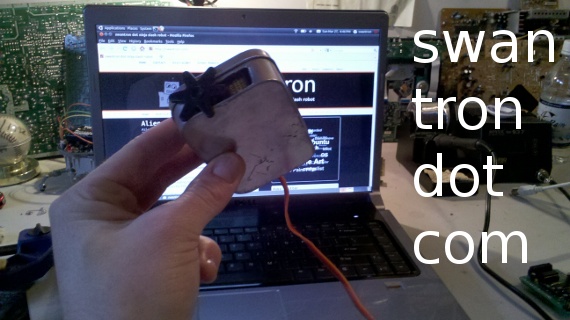 Lady Ada uses these for some random projects. If you can stomach a whole bunch of crappy mints, you have a nice little Arduino-sized metal casing. Of course, it poses a grounding threat, which I experienced working with my motor shield a while back. That said…keep a few around. I have put this one to use before. Next step…testing the servo
 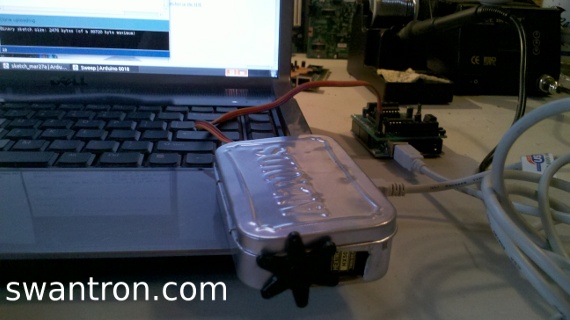 For this, I broke out my motor shield. It doesn’t have any features that would benefit this project…the servo areas are basically just power, ground, and control. Control pumps into the 16B 10 port, like a jumper…that works for my debug. Next, implement a fan.
 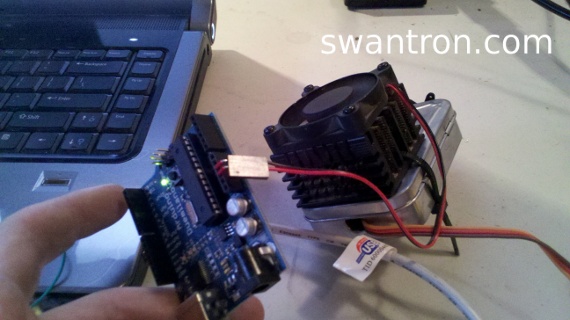 I snagged this fan from an old tower, I think. I really don’t know. It seemed to react well to a 9V battery, so I tried it with a 5V source…same deal. Awesome. I used a zip tie to fasten this to that, that being the Altoids enclosure. This thing needs a base…man-clamp to the rescue:
 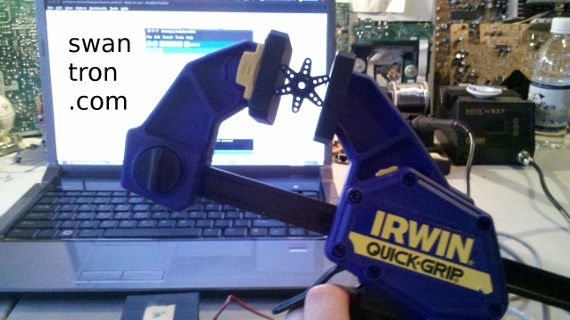 I picked this up, to use it as a soldering base. That ‘x-tra’ hands piece of shit that I have previously posted in pictures didn’t cut it. This is the manly version. And, it works great for this project, I believe…you can decide based upon the vid. Here is what it looks like, with some more detail.
 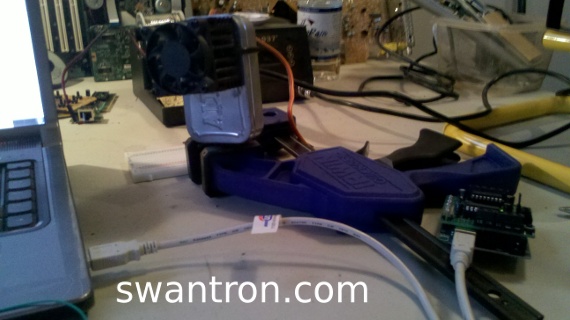 Let’s add some code…oh no…sounds like we’ve reached the BALLIN ASS SNIPPET ZONE
#include <servo.h> Servo myservo; // servo opbect int pos = 0; // initialize void setup() { myservo.attach(10); // digi pin 10 void loop() { for(pos = 0; pos < 180; pos += 1) // from 1 to 180 { myservo.write(pos); // moves servo delay(20); // waits 20 ms } for(pos = 180; pos>=1; pos-=1) // sweeps span between 180 and 1 { myservo.write(pos); // moves servo delay(20); // waits 20 ms } } </servo.h>
If that looks familiar, it is because it pretty much the sweep example from the Arduino IDE. No changes necessary…I like when that happens. Here is the final product: 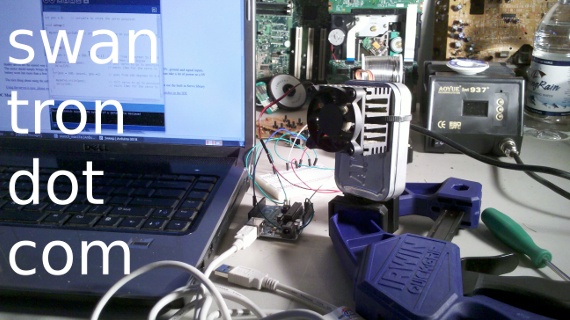 Not bad, for a quick slam-together exercise. It isn’t really robotic, since it has no sensors. I could bump this up a notch with some IR LEDs, or my PIR sensor, but that is for another time. Blah blah blah, stay tuned, blah blah. Until then.
Alien Abduction Proof
The Bozeman Daily Chronicle should have ran this story on a full front page spread. Instead, they chose to obscure evidence of alien existence in Montana, placing this item in the police reports…  Too late, cops. They got him. Watch your brain waves.
Amateur Hour
I’m mid update…son of a bitch  If things appear to be off, that is why. I won’t have time to QA this beeyotch until tomorrow, midday at the earliest. Many apologies.
Alarm System In Progress
I suppose I should add a few words. I placed the images in an empty post several days ago, and sort of forgot to update the text on mi telephono. Dios mio! 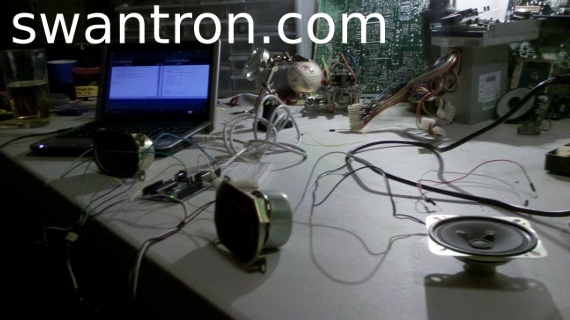 Well, long story short. I put together the little POC using my PIR sensor a while back. The shit deal, is that the sucker only writes high and low. Easy, for the win. Limited, for the loss. I may or may not have (I did) disassembled a few CRT TVs last month. Hence, have all sorts of components, such as small sub 9V speakers…
 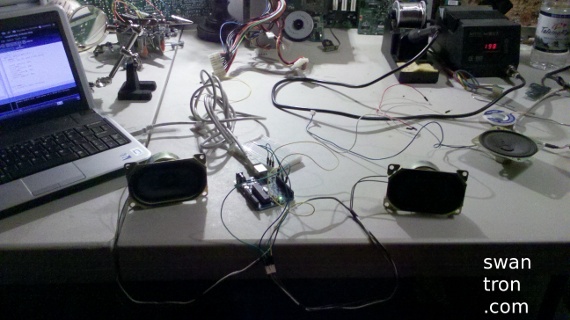 I’m trying to do something with a dual speaker setup, in order to shine up my bugler alarm project. The code is boring…stay tuned…I might be able to come up with something amusing.